You are paying for a guard to be present when something goes wrong. So it is worth asking a blunt question before you sign anything: what actually happens in the seconds after that guard hits panic? The security guard panic button response is the moment your whole contract is really about, and most buyers never see the chain until they need it. When you hire security, you should understand exactly how an alert travels, who sees it, and how fast a human on your side finds out.
The alert chain, step by step
A panic button is not a magic word. It is the first link in a chain, and every link either holds or fails. When a guard on your property triggers an alert from the app on their phone, a well-run system does several things at once, not one after another.
- It timestamps the alert and captures the guard’s location.
- It pushes an immediate notification to the guard company’s supervisor or dispatch.
- It can notify you, the client, through your own portal or a direct alert.
- It opens a record that everyone works from, so nothing lives only in someone’s memory.
The reason this matters is simple. A radio call can be missed. A phone call can go to voicemail. A structured alert that fans out to several people at once, with a location attached, is far harder to lose. Ask any provider you are considering to walk you through this chain out loud. If they cannot, that is your answer.
 A live view lets a supervisor see the alert, the guard’s position, and status without waiting for a phone call.
Why location is not optional
“We got the alert” is not enough. On a large property, a warehouse, a campus, or a mid-rise office building, knowing that something happened tells you very little if you do not know where. A useful panic alert carries the guard’s position so the responding supervisor and any other guards on site move toward the right door, not the wrong wing.
Location also protects the guard. If they are cornered, injured, or unable to talk, the position on the map speaks for them. When you evaluate a provider, ask whether their panic feature includes a location, whether that location updates, and what happens when the phone signal is weak. Honest vendors will tell you the limits. No system works perfectly in a concrete basement, and anyone who promises flawless coverage everywhere is overselling.
The number that actually matters: response time
You cannot manage what you never measure. The single most important figure in a security guard panic button response is the time between the alert firing and a human acting on it. Not the time it took to write a report the next day. The gap in real minutes.
A serious provider will be able to show you, after an incident, when the alert fired, when it was acknowledged, and what was done. That timeline is your accountability. It is also how you tell a provider who takes emergencies seriously from one who treats the panic button as a checkbox on a proposal.
When you review this with a provider, ask three things:
- Who receives the alert, and on how many devices?
- What is the target acknowledgment time, and how is it recorded?
- Can I see the timeline afterward without asking someone to dig for it?
What the guard sees on their side
The chain starts with the person under stress, so the guard’s experience matters as much as yours. If triggering an alert takes several taps through confusing menus, it will fail exactly when it is needed. A good guard app keeps the panic action within reach and logs the incident cleanly afterward, so the facts are captured while they are fresh.
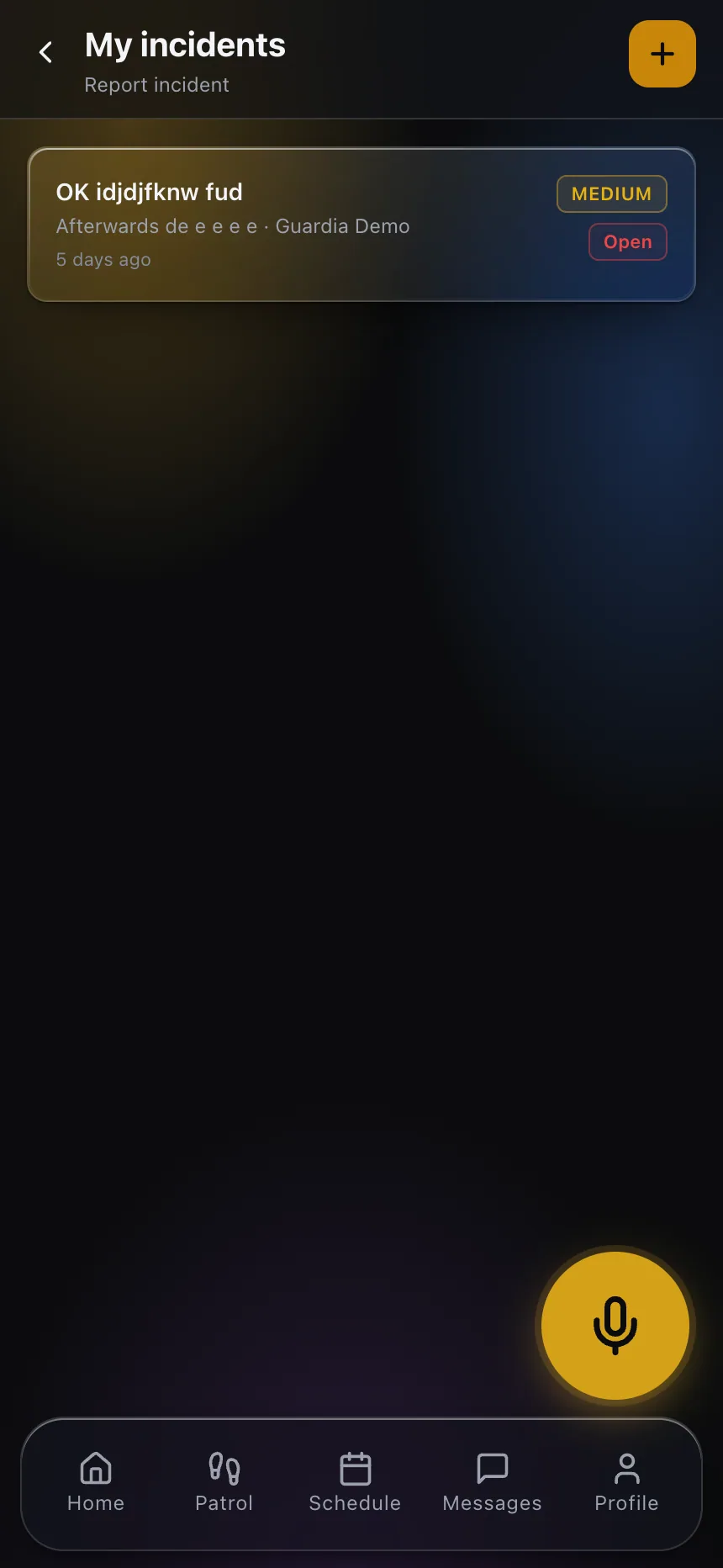 From the guard’s phone, an alert and a clear incident record travel together, so the story does not get lost after the emergency.
This is where a modern platform like CGuardPro’s panic button for security guards earns its place: the alert, the location, and the incident record are one connected flow instead of three disconnected steps. Technology does not replace the guard’s judgment here. It removes the friction that slows a frightened person down and makes sure the rest of the team learns about the emergency without delay.
What you should require from your provider
Put the panic response in writing, not in a sales conversation. When you hire security, ask your provider to specify:
- That guards carry a working way to trigger an alert on every shift.
- That alerts reach a supervisor immediately, on more than one device.
- That you, the client, can be notified of critical alerts.
- That every alert produces a timestamped record you can review.
You should also expect visibility into the wider picture, not just the panic moment. Being able to see live status and incident history in a client portal built for security companies means you are not calling your provider to ask “is everything okay?” You already know.
A word on what technology cannot do
A panic button is a tool, not a rescue. It shortens the distance between “something is wrong” and “someone is responding.” It does not put a supervisor on site faster than they can physically travel, and it does not substitute for enough guards, clear protocols, and drills. Treat the technology as an amplifier of a well-staffed, well-trained team, and ask your provider how they train guards to use it before an incident, not during one.
Regulations around alarms, monitoring, and emergency response vary by state and locality, and this article is not legal advice. Confirm any specific requirements with the relevant authority and your own advisor before relying on them.
The takeaway
The panic button is the promise underneath your security contract. When you evaluate a provider, do not accept “we have one” as an answer. Trace the chain, insist on location, and demand that response time be measured and visible to you. If you want to see how a connected alert, location, and incident record work together, take a look at how the CGuardPro client portal puts that visibility in your hands.