An alert nobody received
is just a log entry
A panic alert that sits unread in an app has failed. CGuardPro routes every operational alert through the channel most likely to reach the person — push first, then WhatsApp, SMS and email — and sends critical events on several channels at once.
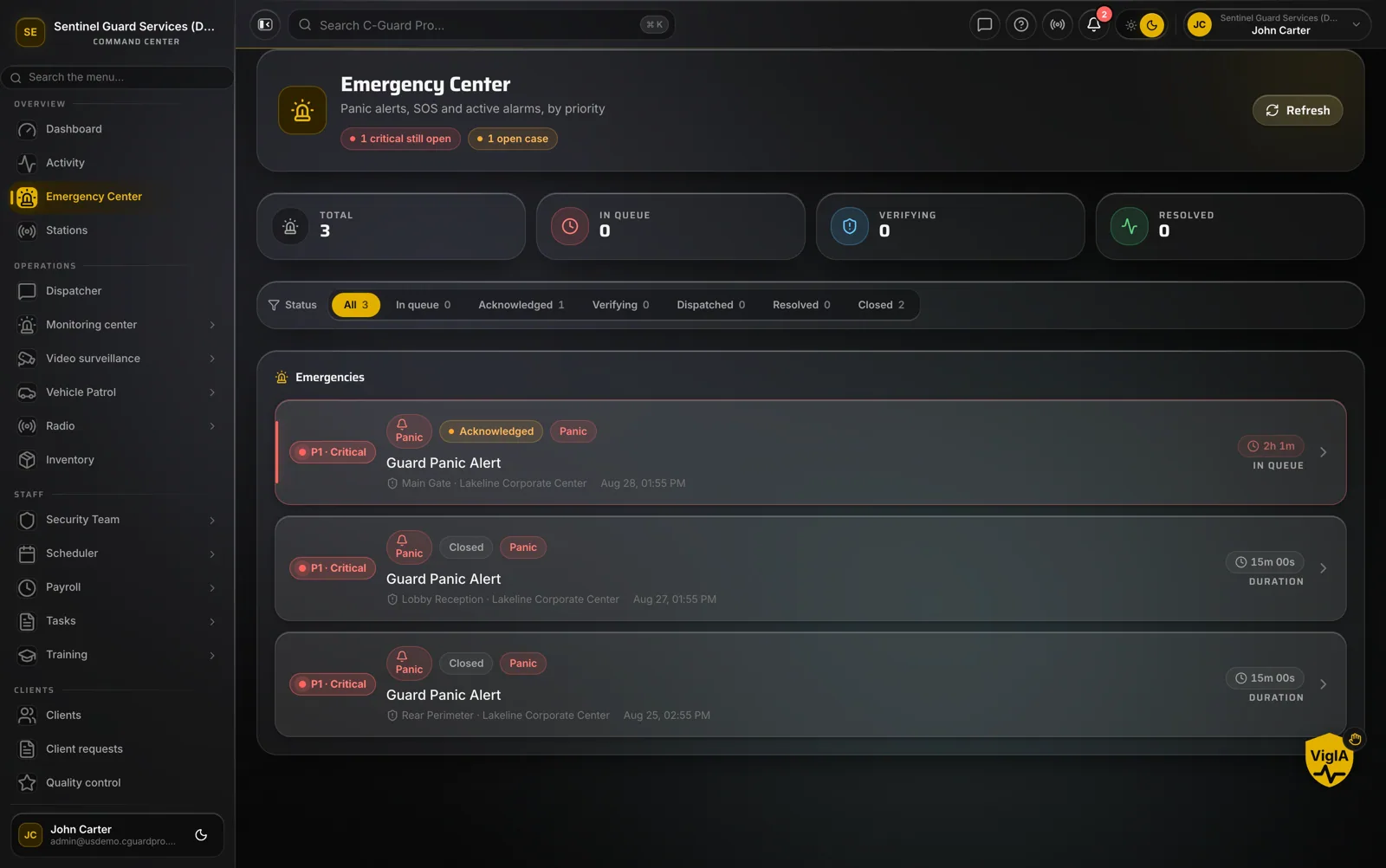
Real product screenshots
Short answer
Multichannel alerting sends each notification through more than one possible channel so it reaches its recipient. CGuardPro tries push notifications first because they are free and instant, then falls back to WhatsApp, SMS and email. Critical events such as a panic button go out on push and WhatsApp together, adding SMS for panics. Each company can turn channels on or off per type of alert.
At a glance
- Order
- Push → WhatsApp → SMS → email
- Critical events
- Push and WhatsApp together; SMS added for panic
- Control
- Channels per alert type, per company
- Recipients
- Staff, supervisors, officers and clients
Why alerts get missed
One channel, one point of failure
Push fails silently when a phone is offline or the app was uninstalled.
Everything is loud
When every routine event buzzes, the important one is ignored with the rest.
SMS bills pile up
Sending everything by SMS is reliable and expensive.
How alerts are routed
Push first
Free and instant to the CGuardPro apps; devices that no longer accept push are cleaned up automatically.
Fallback channels
When push is not available, WhatsApp, then SMS, then email.
Critical goes wide
Panic and other critical events use several channels at once instead of waiting for a fallback.
You choose per alert
Turn channels on or off for each type of alert to keep noise down.
What that means
- Critical alerts reach people even when the app is closed
- Lower messaging cost: SMS only when it adds something
- Per-alert control over channels
- One notification system across every app
- Clients receive service alerts about their own sites
Frequently asked questions
Which channels are supported? +
Push notifications in the CGuardPro apps, WhatsApp, SMS and email.
Why push first? +
Push is instant and costs nothing per message. Paid channels are used as fallbacks or for critical events.
Can I silence some alerts? +
Yes. Each alert type has its own channel settings.
Do clients get alerts? +
Yes, about their own sites, and every person with access to the client account receives them — not only the account holder.
Make sure the alert lands
Book a demo and we trigger a test alert and show you every channel it reaches.