Security workforce management software
for a workforce that never sits at a desk
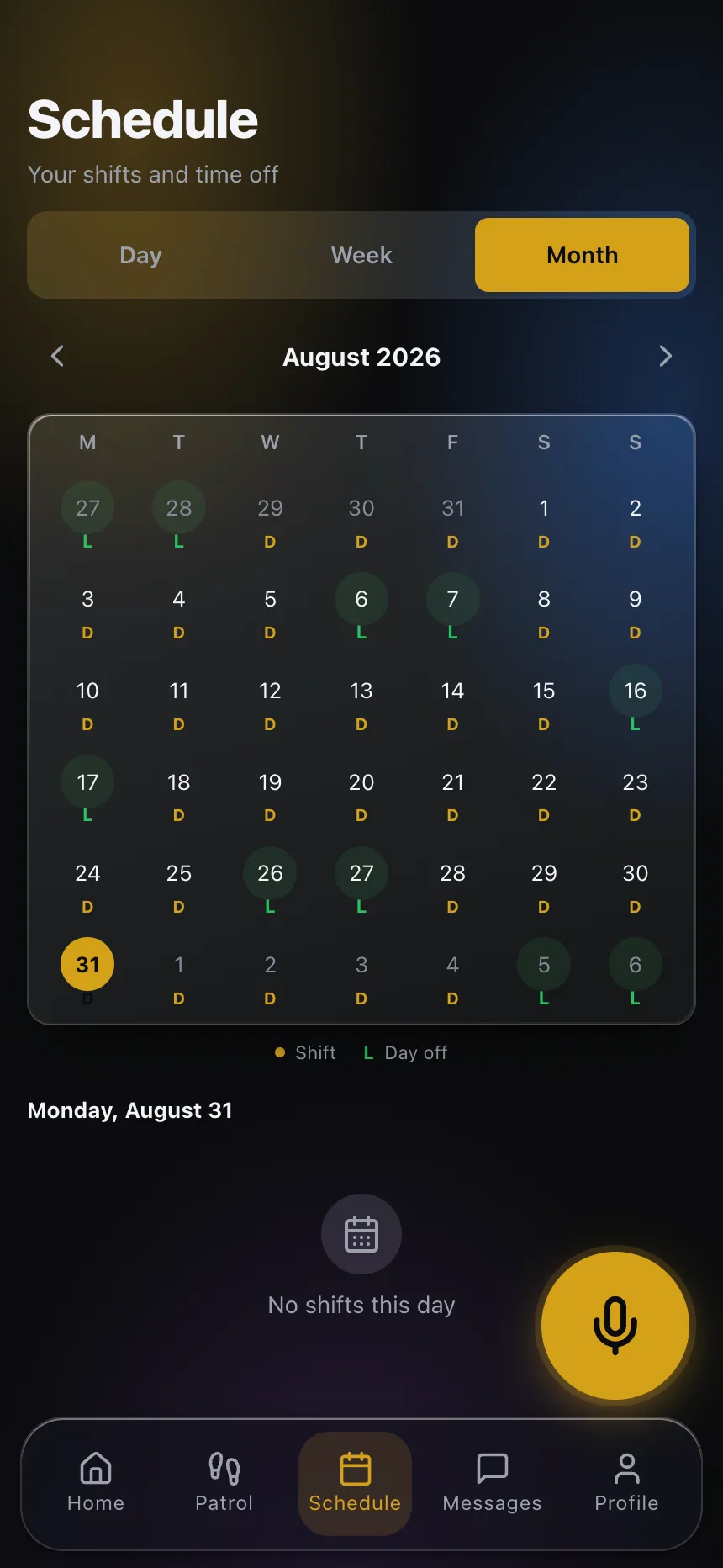
A guard company's workforce is spread across dozens of posts, three shifts and a roster that changes every week. Security workforce management software has one job: make sure the right officer is standing at the right post, can prove it, and is backed up when something goes wrong. CGuardPro does that as one chain — the rotation that generates the schedule, the geofenced clock-in that proves it was worked, the coverage tools that fill the gap when someone calls out, and the supervision that happens between the punches. Trusted by 600+ security companies worldwide.
Real product screenshots
Short answer
Security workforce management software makes sure the right officer is at the right post, can prove it, and is backed up when someone calls out. CGuardPro links rotation-based scheduling, geofenced selfie clock-in reconciled against the schedule, coverage tools for open posts, and field supervision. Replacements are suggested without breaking rest periods or double-booking, and open shifts can go out on WhatsApp to the first officer who accepts.
At a glance
- Scheduling
- Monthly from post rotations, no double-booking
- Attendance
- Selfie, geofence check and server time
- Coverage
- Suggested replacements and WhatsApp shift offers
- Supervision
- Live map, tour scans and inactivity alerts
- Payroll
- Hours exported; processing not included
Where guard workforces break down
The schedule and the reality drift apart
The month was planned in a spreadsheet, two officers swapped by text, one quit on Tuesday and the relief never got told. By the weekend nobody can say with confidence who is supposed to be where, and the first person to find out is the client.
Call-outs get filled from memory
At five in the morning the supervisor calls whoever answers, not whoever is rested, qualified for that site and not already about to cross into overtime. The post gets covered and the cost shows up two weeks later on the payroll run.
Supervision is a phone call
Asking an officer whether they are at their post proves only that they answered. Without verified punches, tour scans and positions, supervisors spend the night driving and calling, and still cannot show a client what happened.
How the workforce side of CGuardPro fits together
Scheduling that respects the rotation
Define each post's pattern once — 12-hour shifts, four-on four-off, days and nights — and the engine builds the month, respects rest days, calculates relief coverage and blocks any officer from being assigned to two posts at the same hour.
Attendance that proves itself
Officers clock in from the guard app with a selfie, a geofence check against the post and the server's time. Each punch reconciles against the scheduled shift, so late arrivals, no-shows and early departures are visible while the period is still open.
Coverage when someone does not show
An uncovered post raises an alert the same day. Replacement candidates are suggested without breaking rest periods or double-booking, and open shifts can go out to officers on WhatsApp with an expiry — the first to accept takes it.
Supervision between the punches
A live map of officers and supervisor vehicles, QR tour scans with their times, inactivity and geofence-exit alerts, push-to-talk radio and a panic button, all in the same app the officer already clocks in with.
What you manage from one place
- Monthly schedules generated from each post's rotation, with relief coverage worked out
- Double-booking blocked no matter how the shift was created
- Shift swaps that go through approval without breaking coverage
- Geofenced clock-in with selfie and server time, reconciled against the schedule
- Late, absent and early-departure exceptions visible the same day
- Replacement suggestions that respect rest periods and never double-book
- Live GPS supervision, tour verification and inactivity alerts
- Training assignments and license expiry alerts on the same officer record
Guides on this topic
Security Guard Turnover: How to Measure It and Reduce It
How to calculate your real guard turnover and replacement cost, and the changes that move both: pay, predictable rosters, onboarding and career paths.
Hiring Paperwork for Security Guards: Getting It Right
Security guard hiring paperwork is what an auditor reads first. Build the officer file once, keep it current, and stop chasing documents after the fact.
Generic Workforce Apps vs. Guard Software: The Gaps
A generic scheduling app vs dedicated security guard software comparison comes down to gaps: no checkpoint, no legal-grade incident, no client view.
Frequently asked questions
What is security workforce management software, compared to a scheduling app? +
A scheduling app answers who should be where. Workforce management answers the next three questions as well: did they actually show up, what happens when they did not, and what did they do while they were there. For a guard company those four answers need to come from the same record, because the argument with a client or an officer always crosses them — a missed tour, a late punch, a post that was covered by somebody else.
Does it handle 12-hour rotations and four-on four-off? +
Yes. Those are the core cases of the scheduling engine: fixed shifts with their rotation phase, rest days respected, and relief officers generated to cover each scheduled day off. Bring your hardest rotation to the demo and we build it live.
An officer calls out at 4am. What does the supervisor actually do? +
Mark the absence and open the coverage options for that post. The system suggests who can take it without violating rest periods or creating a double-booking, and the replacement gets the shift in their app immediately. If nobody obvious is available, the open shift can go out on WhatsApp with an expiry, and the first officer to accept takes it — no double promises.
How do you stop buddy punching and clock-ins from the parking lot? +
Every clock-in takes a selfie and checks the phone's position against the post's geofence, and the time comes from the server rather than the phone. That combination is what makes a punch worth quoting weeks later, and it is what turns a disputed hour into a record both sides can read rather than one memory against another.
Can we see overtime before it happens? +
You see worked hours accumulate against the schedule while the period is open, with overtime recorded per shift instead of discovered at the close, and the scheduler will not double-book an officer. Ask during the evaluation how the threshold that applies in your state is configured — that is the answer to get in writing from any vendor.
Does it process payroll? +
No. The platform produces verified hours by officer, post and client, exportable for the payroll run, and payroll processing, tax filing and benefits stay with your payroll provider. See our payroll and billing page for exactly what comes out and in what format.
How do supervisors work in the field? +
Supervisors have their own app: they see coverage for their posts, log site visits on their vehicle patrols and handle exceptions like early-departure requests. Their route and visits are recorded, so the question of whether a post was supervised last night has an answer with times attached.
Cover a call-out in the demo
Book a demo with one of your real rotations. We generate the month, simulate a 4am call-out and fill it, and you watch the punch, the tour and the supervisor's visit land on the same record.