Panel signals and guards
in one monitoring queue
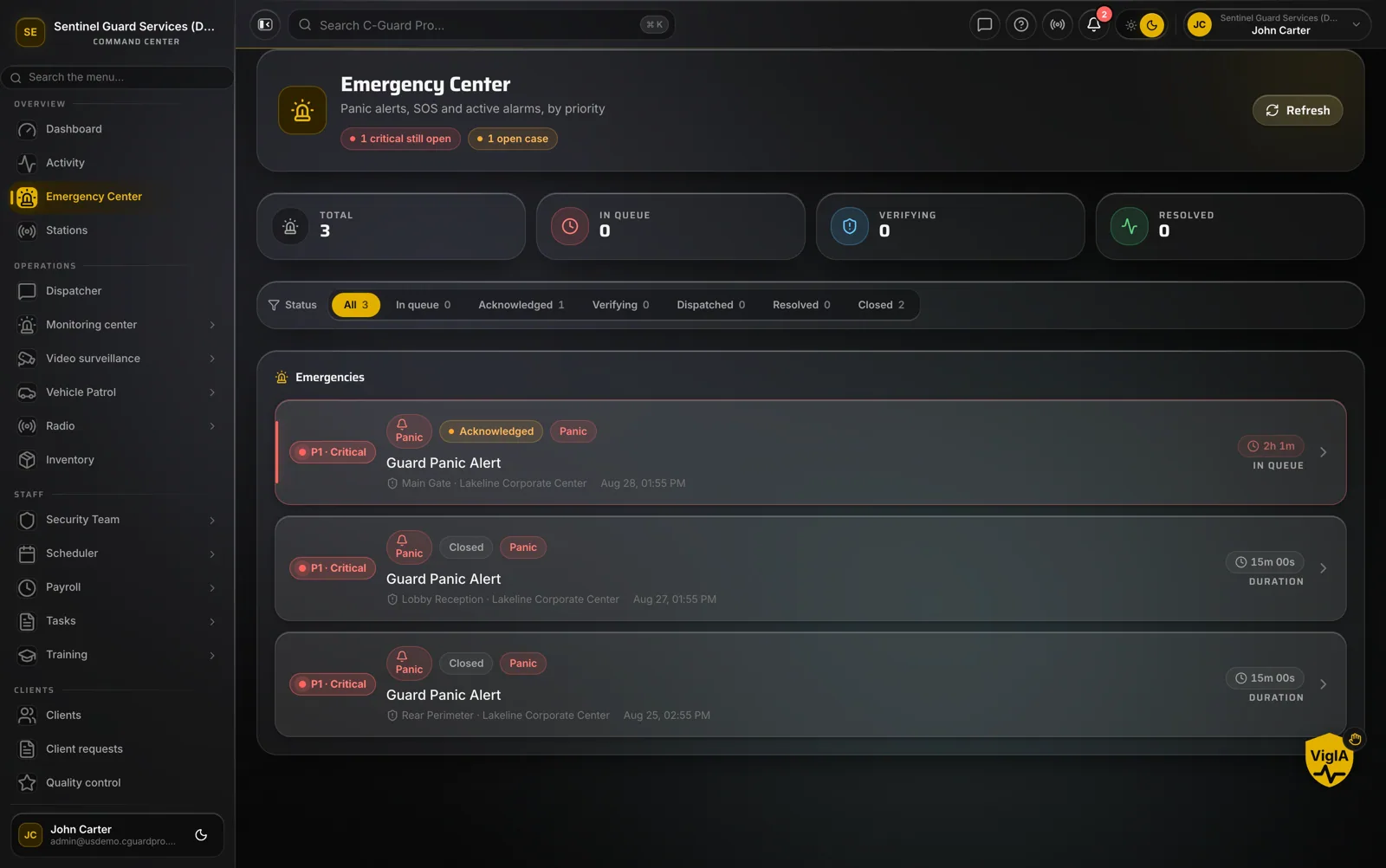
A security company that monitors alarms usually runs two worlds: a receiver for panels and a separate tool for guards. CGuardPro receives alarm panel signals directly and turns them into cases in the same queue where panic alerts from officers and clients arrive.
Real product screenshots
Short answer
Alarm monitoring software receives signals from intruder and fire panels and helps operators respond. CGuardPro includes an alarm receiver that understands Contact ID, SIA DC-09 and Surgard formats. Each signal becomes a case in a live queue that operators acknowledge, dispatch and resolve. Unacknowledged cases escalate when their deadline passes, and every step is recorded.
At a glance
- Protocols
- Contact ID, SIA DC-09, Surgard
- Queue
- Live, with acknowledge, dispatch and resolve
- Escalation
- Unacknowledged cases escalate by priority
- Also in the queue
- Guard panic button and client SOS
- Record
- Timeline and audit trail per case
Why monitoring and guarding drift apart
Two consoles, one operator
The operator watches the alarm receiver on one screen and the guard platform on another, and copies data between them.
A signal nobody acknowledged
In a busy night an alarm sits in the list. Without a deadline, nothing says it has waited too long.
No story afterwards
When the client asks what happened at 2:14, the answer is spread across logs, calls and memory.
How a signal becomes a case
The panel reports
The receiver accepts signals in Contact ID, SIA DC-09 and Surgard formats and identifies the panel and its client.
A case enters the queue
The signal opens a case in real time, with priority and the client’s site details.
Operators act on it
Acknowledge, contact the client’s emergency contacts, dispatch an officer and resolve, all inside the case.
Escalation if it waits
A case not acknowledged within its time is escalated and supervisors are alerted.
What the monitoring desk gains
- Panel alarms, guard panics and client SOS in one queue
- Acknowledgment deadlines by priority, with escalation
- Emergency contacts per client at hand
- Dispatch to your own officers from the case
- Timeline of every action for the client and insurer
Guides on this topic
Alarm Response SOP for Contract Guards: The Whole Run, Start to Close
A step-by-step alarm response procedure for security guards: who is dispatched, the approach and exterior check, what gets documented, when police are called and what you tell them, and how the report is closed.
Guards vs Cameras vs Alarms: What to Use
Security guards vs cameras vs alarms: where each layer pays off and how to combine them. A buyer's guide to spending your security budget wisely.
Frequently asked questions
Which alarm formats does the receiver accept? +
Contact ID, SIA DC-09 and Surgard. Panels are mapped to the client and site they protect.
What happens if nobody acknowledges an alarm? +
Each case has a time-to-acknowledge by priority. When it passes, the case escalates and supervisors are notified.
Can operators dispatch guards from an alarm? +
Yes. Because guards and alarms are in the same platform, the operator can send an officer from the case itself.
Do panic buttons arrive in the same place? +
Yes. A guard’s panic button and a client’s SOS create cases in the same queue as panel alarms.
Bring alarms and guards into one queue
Book a demo and see a signal arrive, become a case and get dispatched to an officer.