Security report writing software
that gets the report written at the post, not at the end of the week
A security report is only as good as the moment it was written. Security report writing software should make it easier for an officer to write the report while the facts are fresh than to promise to do it later — and should make the report hold up when a client, an adjuster or an attorney reads it months afterwards. In CGuardPro, officers file daily activity reports and incident reports from the same phone they clock in with: a description, photos, the system's own timestamp, the location and a named author, landing in a log you can search by post, client and date, and in your client's portal when you choose to release it. Trusted by 600+ security companies worldwide.
Real product screenshots
Short answer
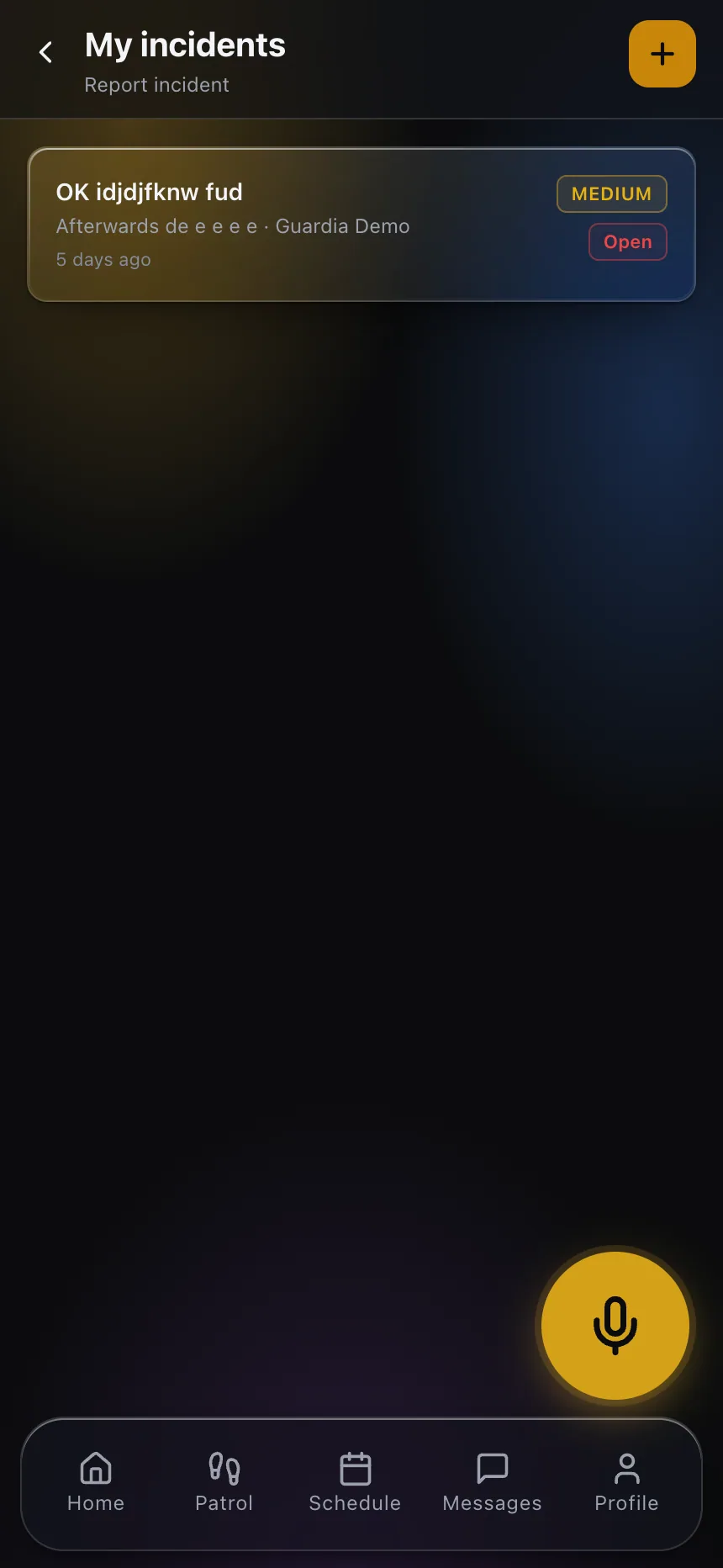
Security report writing software helps officers write daily activity and incident reports at the post while the facts are fresh. In CGuardPro, officers file both from the phone they clock in with: narrative, photos, system timestamp, location and named author. Incidents use company-configured types and route to supervisor review with every revision preserved, and reports are searchable by post, client, officer and date and can be released to the client portal.
At a glance
- Report types
- Daily activity reports and incident reports
- Each entry
- System time, GPS location, named author, photos
- Categories
- Incident types configured by your company
- Offline
- Incidents and photos queue and upload later
- Client delivery
- Client portal, with visibility you decide
Why guard reports disappoint the people who read them
Written from memory at the end of the shift
The officer saw the open door at 1:40am and wrote it up at 6:55, one-thumbed, in a hurry to go home. The time is approximate, the details are thin and the photo, if there is one, lives in a personal camera roll.
Every officer writes a different report
One writes a paragraph, another writes three words, a third forgets the post name. When a client reads a month of those, the service looks as inconsistent as the reports, even when it was not.
The client gets it late, or not at all
Someone in the office collects notebook pages and texts, retypes them into a document, pastes photos in and emails a PDF. The client reads about Tuesday on Friday, and questions the dates because nothing in the document proves them.
How reports are written and delivered in CGuardPro
Two report types, kept apart
The daily activity report is the routine log of the shift: rounds, observations, deliveries, nothing to report. The incident report is the exception: a discrete event that opens a case with severity, evidence, supervisor review and a close. Keeping them apart is what stops the important entry from drowning in the routine ones.
Written on the phone, stamped by the system
The officer picks the incident type your company configured, writes the narrative and attaches photos taken in the app. The time and location come from the system, not from what the officer types in, and the author is the logged-in officer.
Reviewed before it reaches the client
Incidents route to a supervisor by severity. The supervisor can ask for a correction or add their own observations; the original narrative is kept alongside every revision, with who changed what and when.
Delivered where the client already looks
Approved reports and incidents appear in the client's portal for their own sites, and the log stays searchable by post, client, officer and date — so the monthly review is a filter, not a retyping job.
What changes in the report itself
- Every entry carries a system timestamp, GPS location, a named author and its photos
- Incident types configured by your company, so officers choose from your categories
- Incidents and their photos queue on the device with no signal and upload later
- Supervisor review with the original narrative and every revision preserved
- Automatic shift pass-down from the outgoing officer to the relief
- Post orders in the same app, so the officer knows what the post expects to see reported
- A searchable log by post, client, officer and date, visible to clients in their portal
Guides on this topic
Report Writing Training That Actually Improves Reports
Security report writing training that works: why classroom grammar sessions fail, and a four-week coaching loop a supervisor can run on real officer reports.
How to Write a Daily Activity Report (With Examples)
How to write a daily activity report that reads like a professional wrote it: what belongs in a DAR, what does not, and weak versus strong entry examples.
Slip-and-Fall Documentation for Security Officers
A slip and fall incident report decides a premises liability claim later: scene condition, witnesses, timing, and what an officer must never speculate about.
Frequently asked questions
What is the difference between a daily activity report and an incident report? +
A daily activity report (DAR) records the normal shift: tours completed, doors checked, deliveries received, conditions observed, and a 'nothing to report' when that is the truth. An incident report documents an exception — a trespass, an injury, damage, a use of force — and in CGuardPro it opens a case with its own lifecycle of evidence, supervisor review, client notification and closure. Both are written from the same app, but they are stored, routed and read differently.
Can we set up our own report categories? +
Yes, the incident types officers can file are configured by your company, so a hospital account and a construction site do not share the same list. That is part of implementation, and it is worth doing carefully: a short list your officers actually understand produces better reports than a long one they scroll past. If you need a specific field layout per post or a fixed DAR form, ask to see exactly what can be configured during the demo rather than assuming.
Our officers are not strong writers. Does the software help? +
It removes the parts that go wrong most often: the time, the location, the author and the post are captured by the system, the photos are attached in the app, and the officer chooses a category rather than inventing one. What is left is the narrative, and that still takes practice — which is why many companies pair the tool with report-writing training assigned to officers through the platform's training module.
What happens if the officer has no signal? +
Incidents and their photos are stored on the phone and upload automatically when it reconnects, keeping the time they were captured. The record shows both when the event was captured and when it reached the server, which is the honest way to represent a delay instead of backdating it.
Can a report be edited after it is submitted? +
Corrections are part of good report writing, so they are allowed — but the submitted version is kept, and every revision records its author and time. A reviewer, a client or an attorney can see exactly what the officer wrote first and what changed after supervisor review.
How do clients receive reports? +
Through their own portal, where they see the tours, activity reports and incidents at their own sites, with photos. You decide per client how much is visible and whether incidents are released immediately or after review. That replaces the PDF someone assembles on Monday for most clients; for a client whose contract asks for a specific document, ask during the evaluation to see the exports.
Can we find a report from nine months ago? +
Yes. Reports stay attached to the site, the client and the officer, and are searchable by date range, so a request that arrives a year later is answered by filtering, not by asking who was working that night.
Write a report with us in the demo
Book a demo and file one real report from a phone: photo attached, supervisor review, and the client's view of it a minute later. Then compare it with last week's notebook page.