A remote video monitoring center costs a fraction of a live officer, so it’s tempting to assume it’s the smarter buy. Sometimes it is. But the security guards vs remote video monitoring decision hinges on a single question: when something happens on your site, what needs to occur in the next sixty seconds? If the answer is “a human needs to be physically present and act,” a monitoring center can’t do that — it can only watch and call. If the answer is “detect it and dispatch,” remote monitoring may be all you need, at a lower cost.
What remote monitoring is genuinely good at
A remote monitoring center watches your cameras, often with analytics that flag motion or intrusion, and responds by talking through a speaker, notifying you, or calling for dispatch. For the right site, it’s efficient and cost-effective.
It shines when:
- Your site is empty during the risk window — a closed business, a storage yard, a vacant property.
- The main threat is intrusion or theft that a fast alert and a dispatched response can address.
- You want broad camera coverage without paying for a permanent human presence.
- Deterrence by voice-down — an operator telling a trespasser they’re being watched — is enough to move most incidents along.
The honest limit is that a monitoring center’s response is always mediated. It sees, it warns, it calls. Whatever happens next depends on someone else arriving.
 Whichever model you choose, demand a single view of what happened and how fast it was handled.
What only a live guard can do
An on-site officer is the layer that can act in the moment. In security guards vs remote video monitoring, that’s the whole difference. A guard can:
- Physically intervene — stop an escalating situation, secure a door, remove a trespasser.
- Exercise judgment in the ambiguous cases analytics can’t classify — the person who “belongs” but doesn’t, the situation that’s technically fine but feels wrong.
- Help the people on your site — escort staff, direct visitors, respond to a medical event.
- Handle duress instantly, triggering a panic button that reaches help in seconds rather than routing through a call chain.
If your site is occupied during the risk window, or the threats involve people rather than just empty-building intrusion, the human layer is doing work no camera feed can replace.
When you actually need both
Plenty of buyers land on a blend: remote monitoring for the perimeter and off-hours, a live officer or roving patrol for occupied hours and events. The monitoring center handles detection at scale; the officer handles judgment and physical response. Done well, each covers the other’s weakness — but only if their work lands in one place you can review, rather than two vendors pointing at each other after an incident.
Demand response proof either way
Whichever model you choose, the number that matters is response — and it’s the number providers are vaguest about. Don’t accept “we respond quickly.” Require that response is timestamped and logged, so you can review how long it actually took from detection to action.
For a live guard service, that means verified patrols via a QR/GPS guard tour system and incidents captured the moment they happen. For a monitoring arrangement, it means a clear, logged record of when an event was detected, when the operator acted, and when a physical response arrived. Same-day daily activity reports should tie it all together so you’re not reconstructing the timeline from phone calls.
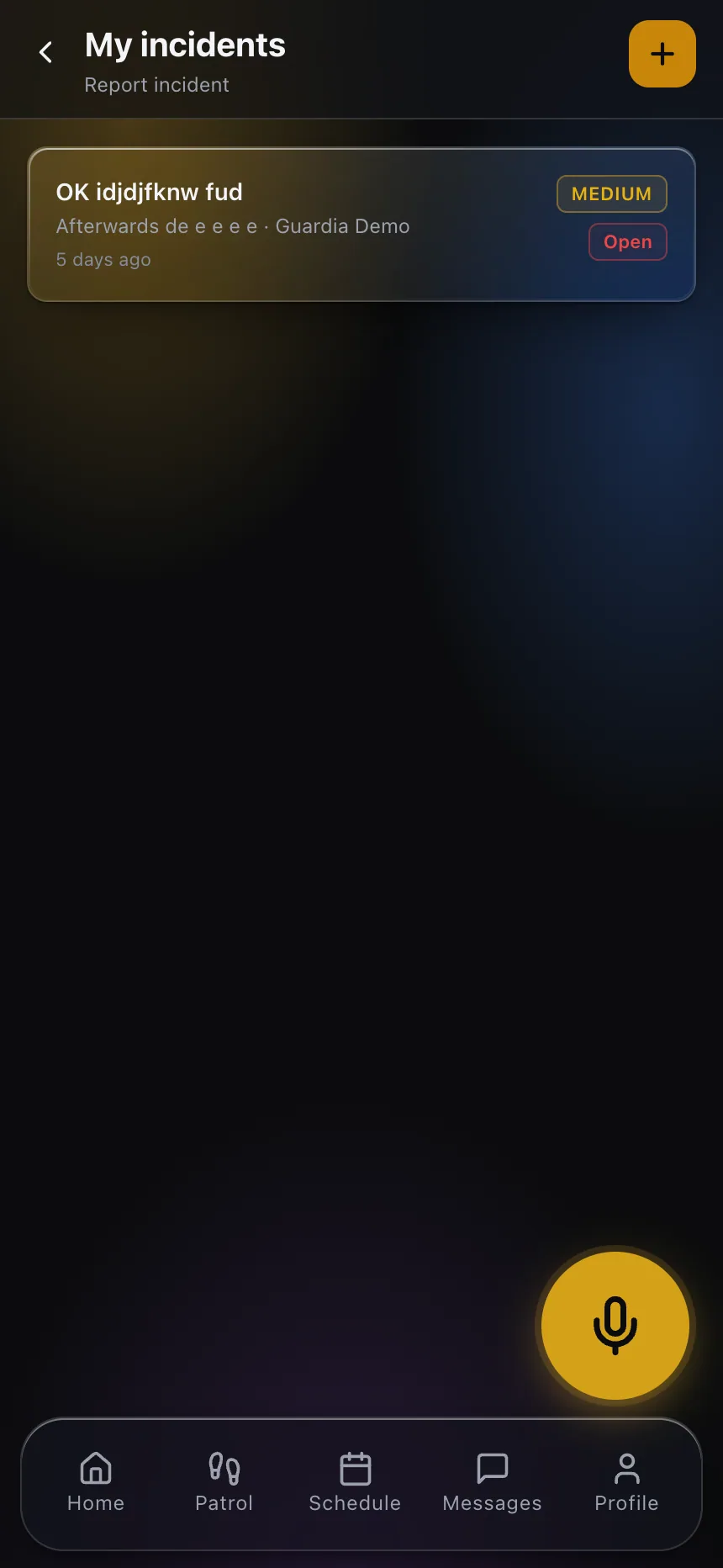 Response is only real if it’s logged — timestamped incidents turn “we responded fast” into something you can verify.
Have any provider — guard or monitoring — show you a real, anonymized incident timeline in the security guard app or portal their team uses. The ones who can produce it on the spot are the ones whose response actually works.
A quick way to size the decision for your site
Skip the sales pitch and run your own site through a few questions. Your answers point clearly to one model or a blend — no vendor required.
- Is the site occupied during the risk window? If people are present, someone may need to be helped, escorted, or protected in the moment — a live-guard job. If it’s empty, detection-and-dispatch may be enough.
- What has to happen in the first sixty seconds? If “watch and call” is acceptable, remote monitoring fits. If “someone acts” is required, a camera can’t do it.
- Is the threat about property or about people? Intrusion and theft suit remote monitoring. Confrontation, disturbance, and medical events need judgment and a physical presence.
- How reliable is the response you’re dispatching to? Remote monitoring is only as good as whoever arrives. If the nearest response is slow or uncertain, the value of a live officer climbs.
A mistake worth avoiding
The common error is buying on the sticker price alone: remote monitoring costs less per hour, so it wins the spreadsheet. But if your site is occupied and the real threat involves people, you’ve bought a system that can only watch while the thing you feared unfolds. The opposite mistake is just as costly — staffing a live officer around the clock on an empty yard where a camera and a fast dispatch would do the same work for less.
Match the model to the moment of truth
The security guards vs remote video monitoring choice comes down to what has to happen when your site is under threat. If detection and dispatch are enough, remote monitoring is a smart, economical fit. If someone needs to be there — to judge, to act, to help — a live officer earns the higher cost. Many sites need a deliberate mix.
Just don’t let cost be the only input. Decide based on the response your site actually requires, then demand proof of that response in writing and in the record.
See how logged, verifiable response looks from the buyer’s side in the client portal, and make it a requirement no matter which model you pick.