Most school event security failures don’t start with a weapon or a fight. They start with a bottleneck at the ticket table, an unstaffed side door, a parking lot with no traffic direction, or a guard who can’t reach anyone on a radio. If you’re a school administrator, athletic director, facility manager, or PTA lead hiring security for a football game, graduation, festival, or campus concert, your school event security checklist has to go beyond “two guards at the front door.”
A school event security checklist covers access points, crowd flow, parking, guard positioning, communication, emergency response, and digital reporting. For most K-12 and campus events, staff every public entry and exit point, add roaming coverage for parking and perimeters, and require live reporting and incident logs you can review immediately.
What a School Event Security Checklist Should Cover
A school event security checklist is a written pre-event and live-event plan that confirms how people enter, move through, and leave the campus safely. It is not a generic “have guards present” note. It tells your security provider exactly which doors are open, who checks tickets or IDs, where guards stand during peak arrival and dismissal, and how incidents get documented.
A practical checklist includes:
- Vehicle and pedestrian access points
- Parking lot traffic flow and fire lanes
- Gate, ticket, and ID checks
- Restroom, hallway, gym, and field checks
- Emergency exits and reunification points
- Radio communication and panic alert tests
- Digital incident logs and photo documentation
Use the table below as a starting point. Your provider should walk the site with you before the event and confirm every item.
| Area | What to verify before doors open |
|---|---|
| Access points | Every gate, side door, gym entrance, and field gate is staffed or locked. |
| Parking | Traffic flow, fire lanes, ADA parking, and drop-off zones are clear. |
| Crowd flow | Entry, concession, restroom, and exit paths are marked and not blocked. |
| Communication | All guards have charged radios and a designated channel; test call completed. |
| Emergency response | Panic button system works; AED/first aid location known; reunification point assigned. |
| Reporting | Digital incident log is active; supervisor can post updates in real time. |
Campus Event Security Plan: Start With Choke Points and Crowd Flow
A campus event security plan is only as good as its understanding of where crowds bunch up. For school events, the most dangerous moments are rarely the main performance or game. They are the 20 minutes after the final whistle or bell, when hundreds of parents, students, and cars try to leave at once.
Ask your security provider to map the event site before the day begins. Identify every gate, ticket line, concession stand, restroom, and parking exit. Then assign a guard or supervisor to each choke point. If your provider uses event security management software, they should be able to show you that map with posts, schedules, and check-in times in one place.
For large campus events, require a written plan that includes:
- One-way entry and exit flow during peak arrival and dismissal
- A separate emergency vehicle lane that stays clear all day
- A designated parent pickup and ride-share area away from bus zones
- Radio channel assignments so parking, gates, and command can talk without overlap
Security for School Sports Events: Parking, Rival Tensions, and After-Game Exits
Security for school sports events has three pressure points most generic event plans miss: parking lot conflicts, rival student sections, and the chaotic exit after the game ends.
For football games, basketball tournaments, and rivalry matchups, your provider should assign guards to the parking lot, not just the bleachers. Most fights and injuries happen in the lot or on the walk to cars after the game. That means staffed parking entrances and exits, a roving guard in the student parking area, and a clear plan to clear the facility in sections.
Your provider’s school or campus security plan should also include:
- Separate entry routes for home and visiting fans when possible
- Extra coverage near student sections during high-emotion moments
- A supervisor who stays on the field or court side until the last car leaves
- A post-event sweep of restrooms, locker rooms, and dark areas before locks
If your event involves a large venue or multiple fields, look for a provider that uses school campus security guard software to track patrols and post confirmations in real time.
How Many Guards for a School Event?
How many guards for a school event is the question every buyer asks first, but the answer depends on venue size, crowd count, entry points, and whether alcohol or high-rivalry tension is present. A small elementary school festival may need four to six guards. A 2,000-spectator football game may need twelve to eighteen.
A common starting point:
- One guard per staffed public entry or exit
- One guard per 100–150 expected attendees for general crowd coverage
- One to two guards for parking and traffic direction
- One roving supervisor per eight to ten guards
- One supervisor assigned to radio command, panic alerts, and the digital incident log
Do not accept a quote that only says “two guards for four hours.” Ask the provider to show you the post schedule and the name of each guard assigned to each post before gates open.
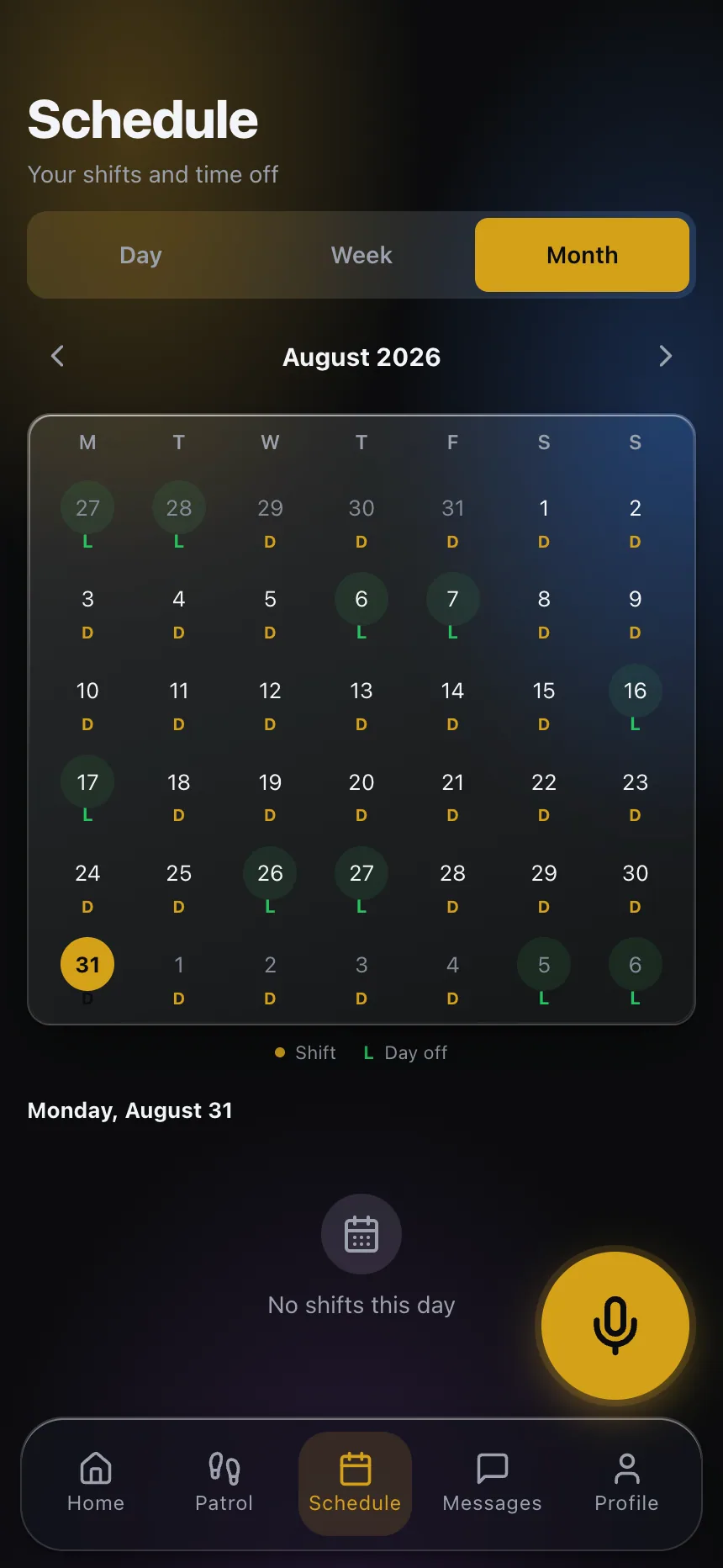
Your provider’s scheduling app should confirm which guard is assigned to each post before gates open.
Visitor Control at School Events
Visitor control at school events is the process of verifying who enters, where they are allowed to go, and what they bring onto campus. For K-12 events, this starts at the perimeter, not at the gym door.
Require your provider to staff all public entry points and keep side doors locked or monitored. Every visitor should pass through the same controlled entry. Depending on the event, that may mean a ticket check, a parent/student ID check, a wristband or hand stamp, or a bag check.
Your visitor control checklist should confirm:
- All unlocked doors are staffed during event hours
- Re-entry policy is clear and enforced consistently
- Prohibited items are posted and checked
- Staff and vendors use a separate check-in process
- Parents cannot bypass the main gate through a side hallway
The goal is not to make school events feel like an airport. It is to make sure nobody enters unaccounted, and that if an incident happens, staff know who was in the building.
What to Require From Your Provider: Live Reporting, Radio Discipline, Panic Response
You should not wait until Monday morning to find out what happened at Friday night’s game. Your security provider should give you live reporting through a client portal, radio communication discipline, and a panic response plan that works without cell phone coverage.
Live reporting means the supervisor posts check-ins, crowd counts, gate closures, and incident notes during the event. If your provider has a client portal for security companies, you should be able to open it on your phone and see the event status without calling anyone.
Radio discipline is also part of the checklist. Guards should use assigned channels, check in at regular intervals, and keep chatter off the main channel. A panic button system for security guards adds a silent alert layer for fights, medical emergencies, or unauthorized access without escalating the situation over the radio.
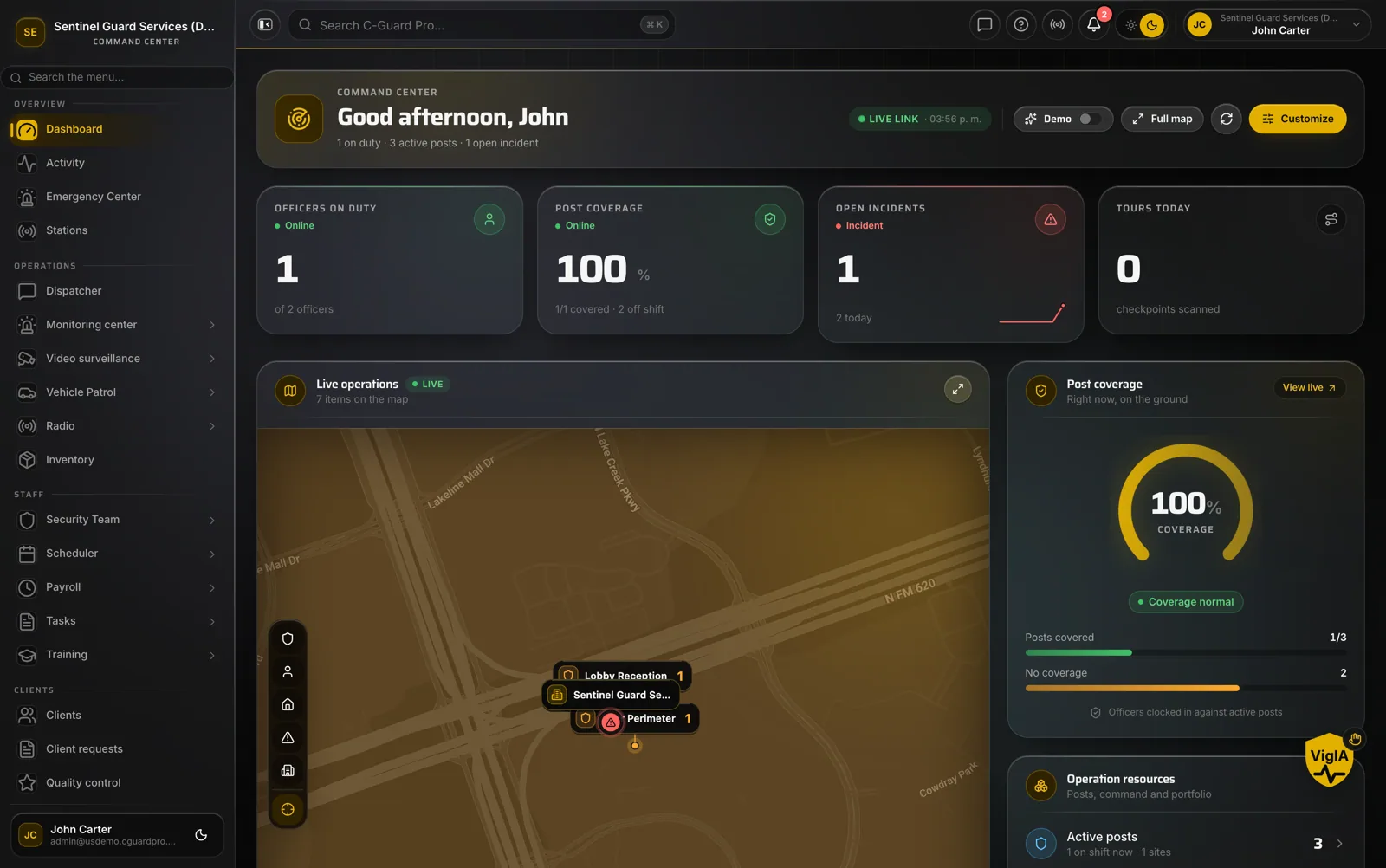
A client portal should show event security status and incident reports in real time.
Digital Incident Logs You Can Review Immediately
A digital incident log is a timestamped record of what guards saw, said, and did during the event. It replaces paper notebooks and end-of-night summaries that nobody can verify. For school events, this log should include crowd counts, gate closures, parking issues, medical calls, ejected spectators, and any use of force or emergency response.
You should be able to log into the portal the next morning, filter by the event, and see a clean timeline. If a parent calls with a complaint about dismissal, you should be able to find the exact time guards cleared the parking lot and what they reported.
Require your provider to include photos, timestamps, and guard names in every incident report. If the log is vague, late, or handwritten, treat that as a red flag in your vendor review.
Frequently asked questions
How do I plan security for a school event?
Start with a site walk with your security provider. Map every access point, parking area, crowd flow route, and emergency exit. Then assign guards to each post, test radios and panic alerts, and confirm that the provider’s live reporting and digital incident log are active before gates open.
How many guards do I need for a school football game or graduation?
The number depends on attendance, venue size, and gates. A common starting point is one guard per staffed entry, one per 100–150 expected attendees, plus coverage for parking and a roving supervisor. For a 2,000-spectator football game, plan for roughly 12–18 guards, but always base the final number on a physical site walk.
What access points should be staffed at a campus event?
Staff every unlocked public gate, the main entry or ticket check, and any door between the event area and the rest of the school. Parking lot entrances and exits also need coverage during peak arrival and dismissal. Side doors and emergency exits should be locked, alarmed, or staffed so nobody bypasses visitor control.
What should the security company report during and after the event?
During the event, the provider should post live check-ins, crowd counts, gate closures, parking issues, and any incidents. After the event, you should receive a digital summary with timestamps, guard names, photos, and recommendations. The report should be available immediately through the client portal, not days later.
If your current security provider cannot show you a live event screen and a digital incident log, it’s time to ask for better. See how a client portal for school event security gives you real-time visibility into every post, check-in, and incident.