If you are issuing an RFP for retail security, the biggest mistake is asking only for hourly rates and guard counts. A strong retail security RFP checklist should force security companies to show how they will reduce shrink, cover entrances and parking lots, manage opening and closing routines, and prove performance with live, verifiable data.
A retail security RFP should include site risks, post orders, service hours, incident response expectations, and clear reporting requirements. For retail buyers, the most useful requirements are live client-portal visibility, digital daily activity reports, GPS- or QR-backed patrol proof, and panic escalation for store incidents so you can verify service instead of simply trusting it.
What should a retail security RFP include?
A retail security RFP should include the operational, reporting, and accountability requirements a guard company must meet at your store, shopping center, or retail portfolio.
At minimum, include:
- Property type and scope
- Hours of coverage
- Priority risks
- Posts and patrol zones
- Opening and closing duties
- Customer service standards
- Incident response expectations
- Reporting requirements
- Supervisor oversight
- Technology requirements
- Pricing format
A digital daily activity report (DAR) is an electronic shift report that logs patrols, incidents, observations, timestamps, and actions taken. A client portal is a secure online dashboard where you can view reports, guard activity, and site status without waiting for email updates. A guard tour system with QR or GPS proof is a patrol verification method that confirms whether guards reached required checkpoints at required times.
How should you build a retail security RFP around store risk?
You should build your retail security RFP around the issues that create losses, complaints, and liability for your stores.
How do you address shrink and loss prevention?
Your RFP should require bidders to explain how guards will support shrink reduction while staying professional with shoppers and staff.
Ask for:
- Visible deterrence at entrances and high-risk departments
- Observation and reporting procedures for suspected theft
- Documentation standards for repeat incidents and repeat offenders
- Coordination with store management on theft patterns
- Evidence preservation and witness documentation
This makes your loss prevention vendor checklist practical instead of generic. If shrink matters, require vendors to show how they will document patterns by time, location, and incident type.
How do you cover opening and closing routines?
Your RFP should list opening and closing tasks in detail so there is no confusion later.
Include duties such as:
- Early arrival before opening
- Exterior perimeter check
- Door and lock verification
- Escort for opening or closing managers if needed
- Closing sweep of sales floor, stockroom, and exits
- Final confirmation that doors are secured
Many buyers assume these tasks are included by default. They are not unless your retail guard company requirements state them clearly.
How do you handle parking lots and exterior areas?
Your RFP should require defined patrol frequency and proof for parking lots, walkways, and loading areas.
Ask each vendor to define:
- Exterior patrol intervals
- High-risk hours for lot coverage
- Customer or employee escort procedures
- Response to suspicious persons or vehicle break-ins
- GPS- or QR-based patrol verification
Parking lots are often where customer complaints and after-dark incidents happen first. That is why a store security bid checklist should treat exterior coverage as a separate requirement, not an afterthought.
What technology should you require from a retail guard company?
You should require technology that lets you verify service delivery in near real time.
For most retail buyers, the most useful requirements are:
| Requirement | What to ask for | Why it matters |
|---|---|---|
| Client portal | Live access to incidents, DARs, attendance, and site status | Reduces blind spots for store and property managers |
| Digital DARs | Time-stamped reports with notes and photos | Creates a searchable service record |
| Guard tour proof | QR or GPS verification for entrances, exits, and lots | Confirms patrols actually happened |
| Incident reporting | Mobile reports with photos and escalation workflows | Speeds documentation and follow-up |
| Panic escalation | Mobile emergency alert capability for guards | Helps escalate violent or fast-moving incidents |
If a provider cannot offer a live client portal, you may end up managing by phone calls and delayed summaries. For multi-site retail operations, that creates avoidable risk and extra admin work.
A good provider should also be able to show how its retail security software supports store reporting, patrol compliance, and incident documentation.
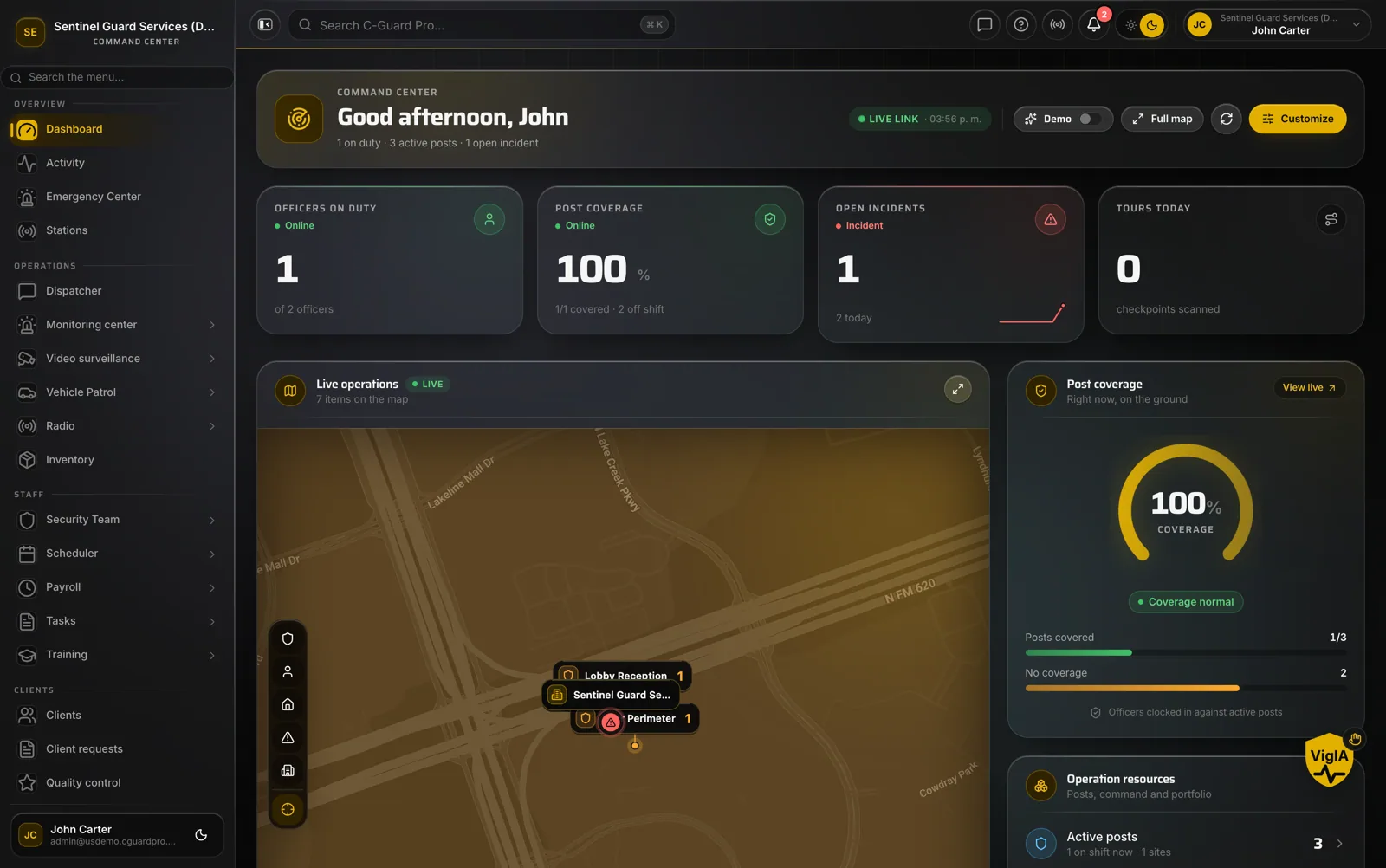 Example of the kind of client portal visibility retail buyers should expect from a modern provider.
How do you compare store security bids fairly?
You compare bids fairly by standardizing the scope before you compare pricing.
Use this store security bid checklist across every bidder:
- Same hours of coverage
- Same post locations
- Same opening and closing scope
- Same patrol zones and patrol frequency
- Same reporting deliverables
- Same technology requirements
- Same supervisor oversight expectations
Then evaluate each proposal on:
- Retail experience in similar environments
- Staffing stability and backup coverage
- Quality of report samples
- Patrol verification method
- Responsiveness during nights and weekends
- Local supervision and account management
- Pricing clarity
If one bidder is promising GPS-backed patrol proof and another is only promising “visible presence,” you are not comparing like for like. Your retail security RFP checklist should make accountability requirements consistent across all bids.
What reports should a retail security vendor provide?
A retail security vendor should provide reports that help your managers see risk, verify coverage, and follow up quickly.
At minimum, require:
- Daily activity reports for every shift
- Incident reports for theft, trespassing, disturbances, medical issues, and property damage
- Patrol completion records for entrances, exits, stockrooms, and parking areas
- Exception reports for missed patrols or late arrivals
- Weekly or monthly trend summaries by location
A daily activity report should show what happened during the shift, what patrols were completed, what issues were found, and what action was taken. Review examples of strong daily activity reports before finalizing your RFP.
You should also require reports to be searchable by site, date, shift, and incident type. That matters if you manage multiple stores or need to track repeat parking lot issues, shoplifting patterns, or after-hours concerns.
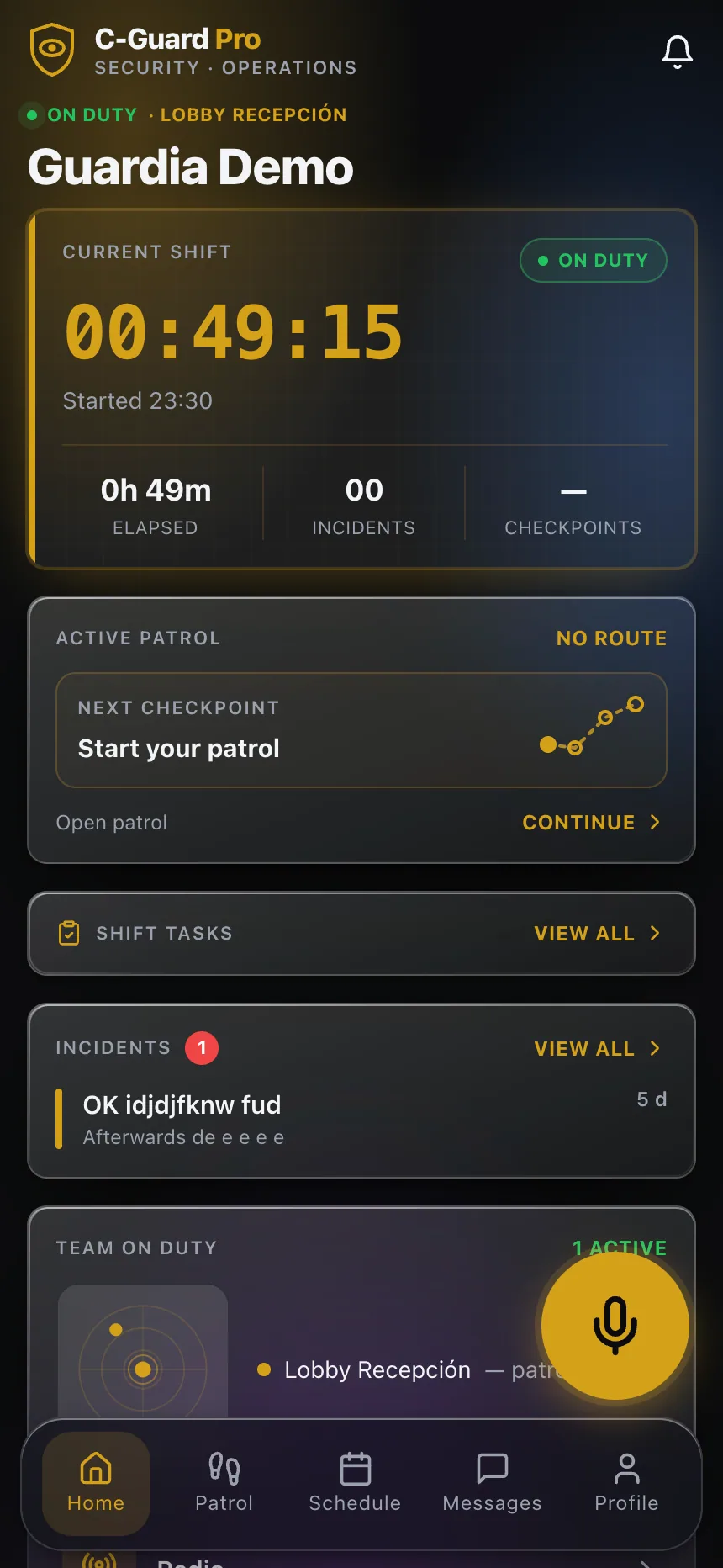 Field tools should help guards log activity, incidents, and patrol completion in real time.
How can you verify guards are covering entrances and parking lots?
You can verify guard coverage by requiring checkpoint-based patrol proof tied to your highest-risk areas.
For retail, require patrol verification at:
- Main customer entrance
- Secondary entrance
- Receiving or loading door
- Emergency exits
- Parking lot zones
- Perimeter doors after closing
A guard tour system with QR checkpoints records when a guard reaches a designated checkpoint. When paired with GPS, it gives buyers stronger evidence that entrances and parking lots were covered at the expected times.
Avoid vague wording like “patrols as needed.” Your RFP should specify checkpoints, patrol windows, and the proof format you expect to review.
Retail security RFP checklist for buyers
Use this checklist before sending your RFP:
- Define the retail environment and service hours
- List your top risks: shrink, parking lots, opening and closing, customer incidents
- Specify posts and patrol zones
- Write opening and closing duties clearly
- Require customer-facing professionalism standards
- Require digital DARs and incident reports
- Require live client-portal access
- Require QR- or GPS-backed patrol proof
- Require panic escalation capability for store incidents
- Standardize pricing format across bidders
- Request report samples and portal screenshots
The best RFPs do not just ask who is cheapest. They define what your provider must prove.
Frequently asked questions
What should a retail security RFP include?
A retail security RFP should include site scope, service hours, post duties, patrol zones, opening and closing routines, incident response expectations, reporting standards, supervision requirements, and technology requirements. For retail sites, it should also address shrink, parking lots, customer-facing professionalism, and patrol verification.
How do I evaluate a security company for a store or shopping center?
Evaluate the provider on retail experience, staffing reliability, reporting quality, patrol accountability, and how well it handles public-facing environments. You should also assess whether the company can give you live visibility through a client portal, digital reports, and verified patrol records.
What reports should a retail security vendor provide?
A retail security vendor should provide digital daily activity reports, incident reports, patrol completion records, and periodic trend summaries. These reports should be time-stamped, searchable, and easy for store or property managers to review.
How can I verify guards are covering entrances and parking lots?
You can verify coverage by requiring QR or GPS patrol verification at defined checkpoints such as entrances, exits, receiving areas, and parking lot zones. Your RFP should also specify patrol windows and require proof that can be reviewed in the client portal.
If you want better retail security outcomes, require better visibility and proof from the start. See what that looks like in the client portal.