The lobby is where your office building makes its first impression—and where a security gap is most visible. In a multi-tenant property, a single unchecked visitor or unlogged after-hours delivery can become a tenant dispute, a theft, or a liability claim. This office building lobby security checklist gives property managers and building owners a practical standard to enforce with their security provider.
Direct answer: A complete office building lobby security checklist covers visitor intake, after-hours access, delivery handling, tenant communication, and shift documentation. The standard to set is simple: every visitor is verified, every exception is logged, and every front-desk shift is visible in a client portal or digital activity report.
What a Commercial Lobby Security Checklist Should Cover
A commercial lobby security checklist is the written set of checks and responses that front-desk officers must complete each shift. In a multi-tenant office building, the checklist should cover more than greeting people; it should define exactly how the provider handles the four flows that create most risk: visitors, after-hours access, deliveries, and tenant communication.
| Checklist area | What the front desk should do | What you should verify as the client |
|---|---|---|
| Visitor intake | Confirm host, check ID, issue badge, log entry and exit | Visitor logs match badge inventory and portal counts |
| After-hours access | Use approved access list, sign tenants and guests in/out, secure side doors | No gaps in the after-hours log; doors checked on a posted schedule |
| Deliveries | Inspect package condition, log carrier, notify tenant, secure holding area | Delivery exceptions and unclaimed items are tracked daily |
| Front-desk coverage | Guard checks in/out, briefs the next officer, no uncovered posts | Attendance records show every shift covered without gaps |
| Incident reporting | Write digital report with time, location, photos, and action taken | Incidents appear in the daily activity report, not only in a paper binder |
| Tenant visibility | Upload daily summaries or live status to a client portal | Management and tenants can see activity without calling the security office |
This list is not a one-time audit. It should become the basis for the post orders your security provider follows every day.
Front Desk Security for Office Buildings: Visitor Flow Without Friction
Good front desk security for office buildings does not slow visitors down; it removes guesswork. The most effective lobby teams sort visitors into clear categories before they reach the desk. Tenants and known employees should move through quickly with badge or access-card recognition. Pre-registered guests should be expected, so the officer only needs to confirm identity and issue a temporary badge. Walk-ins, vendors, and delivery carriers should follow a defined secondary process that includes host confirmation and a log entry.
The physical design matters too. A visitor should not have to wander to find the check-in point, and the guard should not have to leave the desk to manage the elevator bank. Place visitor sign-in, badge stock, and the panic button at the same workstation. If the building has a tenant app or visitor management system, require the lobby guard to use it—not a paper sheet that disappears.
What office guards should monitor at the front desk
At minimum, lobby guards should monitor the main entry, visitor check-in line, elevator bank, and any secondary lobby entrances. They should also watch for tailgating—people slipping in behind a tenant who badges through—and for unattended packages or bags. A good daily checklist includes a visual sweep of the lobby, restrooms, and adjacent common areas at set intervals, not just when the desk is quiet.
After-Hours Access and Delivery Handling in Multi-Tenant Offices
After-hours access is where most lobby security failures happen because the visible daytime checks disappear. Your office building lobby security checklist should require the same verification at 8 p.m. as at 8 a.m. That means no propped doors, no unauthorized use of a freight entrance, and no “I know the tenant” exception without confirmation. In Texas offices, after-hours cooling systems, construction work, and severe weather can create additional access needs; the checklist should identify who is approved to enter during those events and how it is logged.
Deliveries are another weak point. A commercial lobby security checklist should specify how packages are inspected, logged, and moved to a secure holding area. The front desk should notify tenants the same day, not leave boxes stacked in the lobby. If a delivery arrives after hours, the guard should log the carrier, take a photo, and secure the item in a locked room or cage. Unclaimed packages, damaged shipments, and suspicious parcels should trigger an incident report—not a sticky note.
Tenant Lobby Security Best Practices: Make the Coverage Visible
Tenant lobby security best practices boil down to one expectation: tenants should never wonder whether the front desk is actually staffed and what the guard is doing. In a multi-tenant building, the property manager represents several companies under one roof. Those tenants judge security not only by whether the lobby looks professional, but by whether they can see evidence of coverage when it matters.
That is where a client portal becomes the standard. A modern security provider should give building management a live view of front-desk activity, visitor volume, and incidents. Instead of calling the security supervisor to confirm a shift was covered, you should be able to open a dashboard and see the current post status.
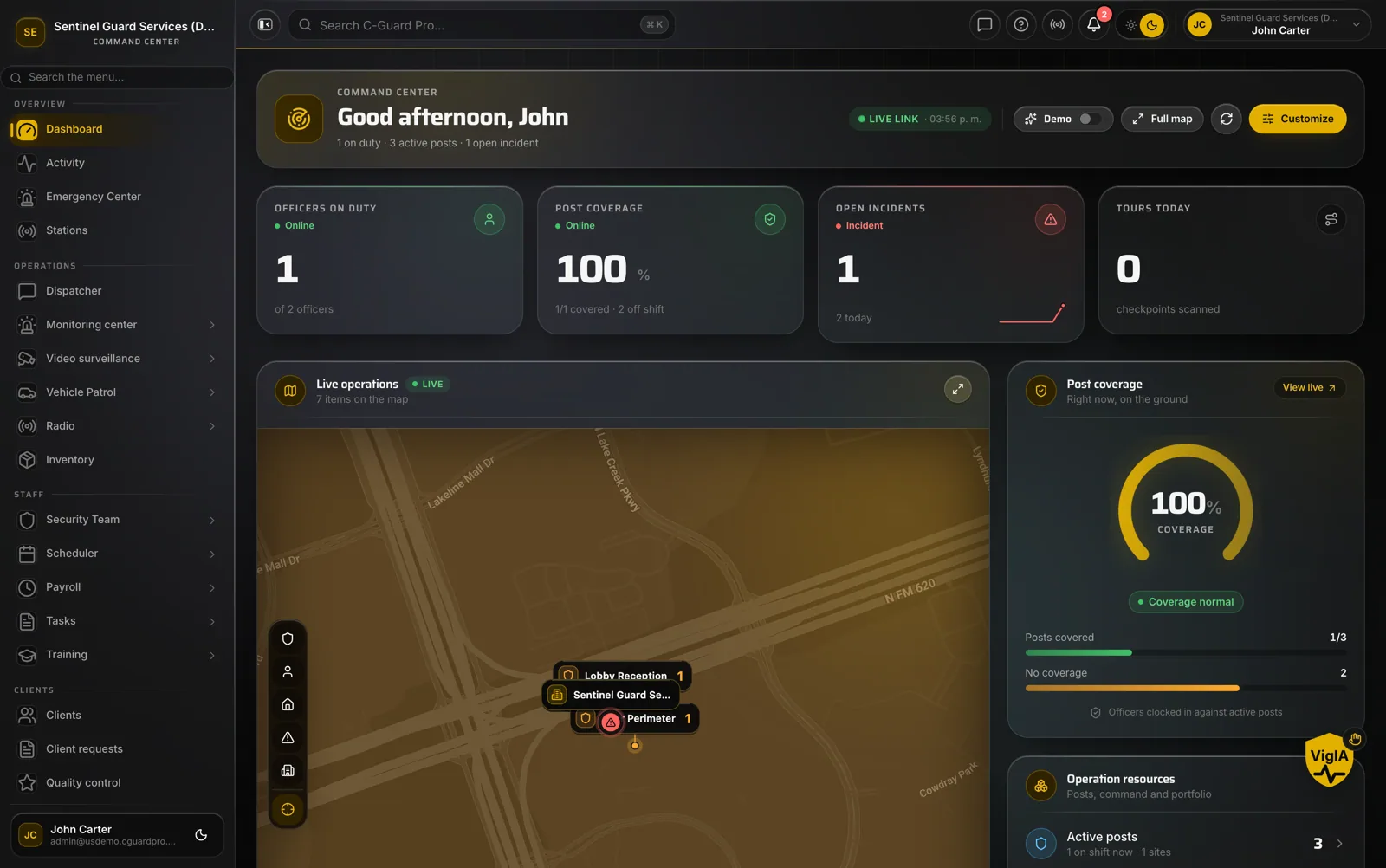 Caption: A client portal dashboard gives building management a live view of lobby activity, incidents, and guard reports.
This is not just about oversight. When tenants know that reported concerns are logged digitally, they are more likely to report issues early rather than letting them escalate. If a tenant says a guard was not at the desk at 2 p.m., the property manager can check the portal instead of relying on memory. Learn more about client portal visibility.
Digital Activity Reports and Attendance Verification: Proof the Post Is Covered
A digital activity report is a time-stamped electronic record of what the front-desk officer observed, checked, and acted on during a shift. Unlike a paper log, it can include photos, geotags, incident categories, and automatic time stamps. For a buyer, digital reports answer a basic question: “What did my security provider actually do today?”
The same applies to attendance. Front-desk coverage is only valuable if the guard is actually at the post. Guard time and attendance verification through GPS or QR check-in shows when a shift started, when relief arrived, and whether there were any gaps. If your provider cannot show you this, you are paying for a promise, not coverage.
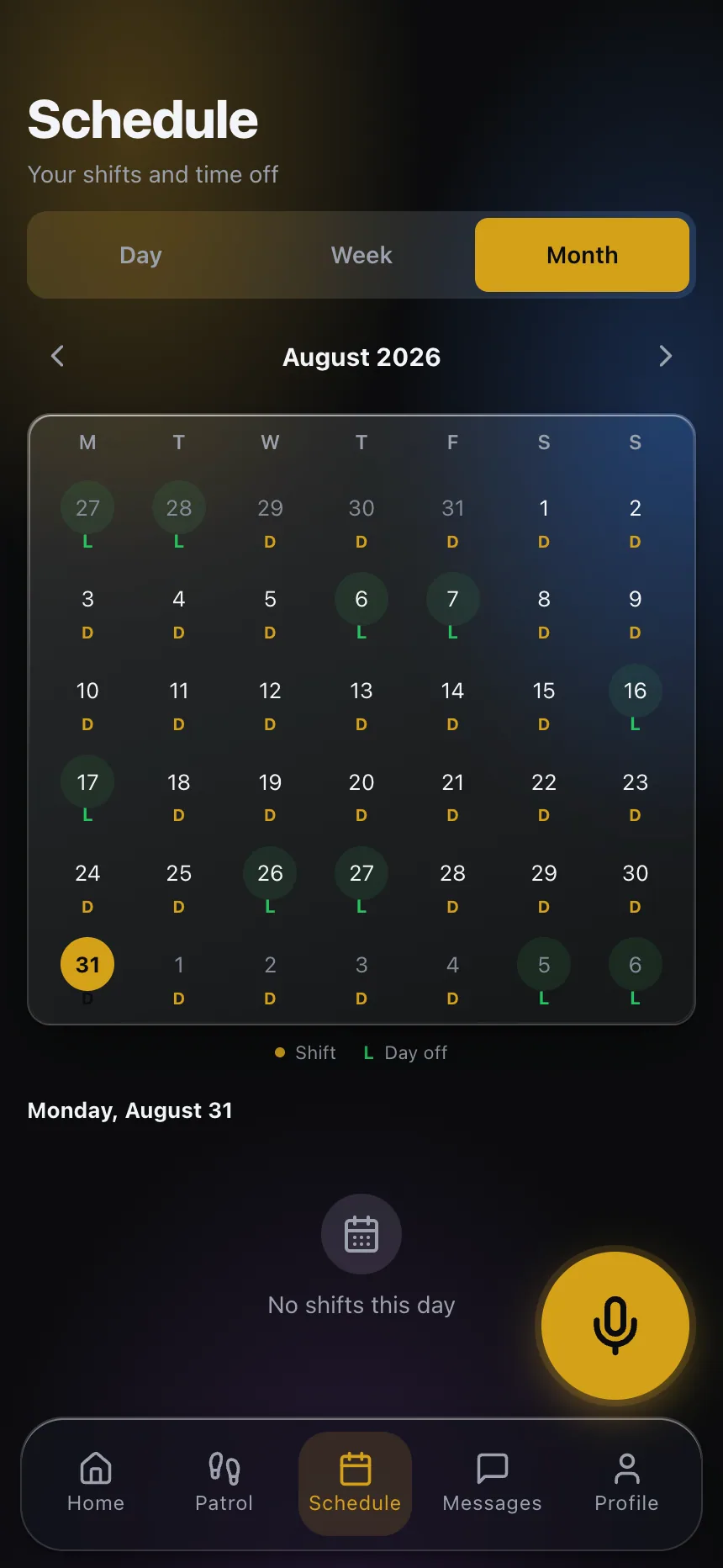 Caption: Front-desk attendance verification shows when the lobby post was covered and when relief arrived.
Require both in your contract: daily activity reports and attendance records. If a guard calls in sick or a relief officer is late, you should see it in the schedule and the report—not hear about it from a tenant days later. Explore digital daily activity reports and verify guard time and attendance.
How to Apply This Checklist with Your Security Provider
The checklist only works if your security provider turns it into written post orders and visible daily reports. During contract renewal or onboarding, walk the lobby with the account manager and map each item on this list to a specific procedure. Ask what the guard does for visitor intake, after-hours access, deliveries, and incident reporting. Then ask how you will see proof.
A provider that uses office building security software can show you the link between the checklist and the daily feed: visitor logs, shift verification, incident reports, and portal access. If the provider still works from paper binders or verbal summaries, consider that a warning sign. See how office building security software supports lobby operations.
Frequently asked questions
What should an office lobby security guard be responsible for?
An office lobby security guard should be responsible for controlling access to the building, verifying visitors, managing the visitor log, monitoring the entry and elevator bank, and responding to incidents. In a multi-tenant building, the guard also handles delivery intake, after-hours access control, and tenant-facing communication. The specific duties should be written into a commercial lobby security checklist so there is no ambiguity.
How do I improve lobby security without slowing visitors down?
Separate the visitor flow into categories: tenants and known employees use badges or access cards, pre-registered guests go through a quick ID check, and walk-ins or deliveries follow a more detailed verification process. Use visitor pre-registration, a digital sign-in, and a well-placed check-in station so the guard does not become a bottleneck. The goal is to remove guesswork, not skip verification.
What incidents should lobby guards report every day?
Lobby guards should report attempted tailgating, unattended packages, visitor verification failures, disputes or disturbances, medical events, property damage, and any after-hours access anomaly. They should also log delivery exceptions, such as damaged packages or unclaimed items. Every incident should appear in a digital activity report with the time, location, action taken, and photos if available.
How can tenants see what security is doing in real time?
Tenants can see what security is doing through a client portal provided by the security company. The portal should show current post status, visitor volume, recent incidents, and daily activity summaries. This gives building management and tenants real-time visibility without having to call the front desk or ask the security supervisor for a manual update.
Keep the lobby secure and accountable
An office building lobby security checklist is only as good as the provider’s ability to prove it was followed. When you can see front-desk coverage in a client portal, review digital activity reports, and verify attendance by time and location, you are not just buying a guard—you are buying a system. See how a client portal gives property teams real-time visibility into front-desk coverage.