When you send a loose request for security services, you get back a stack of proposals that can’t be compared. One quotes a low hourly rate with no supervision. Another bundles everything into a single number. A third answers a different question entirely. That’s why a good security guard RFP template matters: it forces every bidder to answer the same questions in the same shape, so you’re comparing apples to apples instead of guessing whose number is honest.
Start with the outcome, not the headcount
The most common RFP mistake is specifying hours before defining the job. “We need two unarmed officers, 24/7” tells bidders what to price but nothing about what success looks like. Start your security guard RFP template with the outcome you’re buying: what you want prevented, detected, and documented on your site.
Describe the property, the access points, the hours of real risk, the incidents you’ve had, and what “a good day” looks like. Then let bidders propose the coverage. You’ll learn more from how they solve the problem than from a headcount you dictated.
 Ask bidders to show the exact reporting you’ll receive — a real dashboard beats a paragraph of promises.
Spec the technology as scored line items
Here’s where smart buyers separate themselves. Don’t leave technology as an afterthought — write it into the RFP as scored requirements, so a provider who runs on paper can’t win on price alone. Put these in writing and ask each bidder to answer yes/no plus a short explanation:
- Client portal. Will we get a login to see our own site in near real time? Require a demo of the client portal as part of the response, not a screenshot.
- Patrol verification. How are patrols proven? Score providers who use a QR/GPS guard tour system with time- and location-stamped checkpoints higher than those relying on clipboards.
- Digital reporting. How and how fast do we receive daily activity reports? Same-day and searchable beats a monthly PDF.
- GPS supervision. Can supervisors verify officers are on post? Ask about GPS guard tracking and how it’s used without being intrusive.
- Emergency escalation. What’s the duress/panic process and how fast does it reach a human?
Assign point values to each. When technology is a scored category and not a footnote, the whole field of responses gets more honest.
Make scheduling and coverage transparent
Ask bidders to show how they’ll schedule your site and prove coverage — including how they fill a call-off at 3 a.m. without leaving a post empty. A provider using guard scheduling software can show you the roster and the backfill logic; one who “figures it out” is telling you your post will sometimes be uncovered.
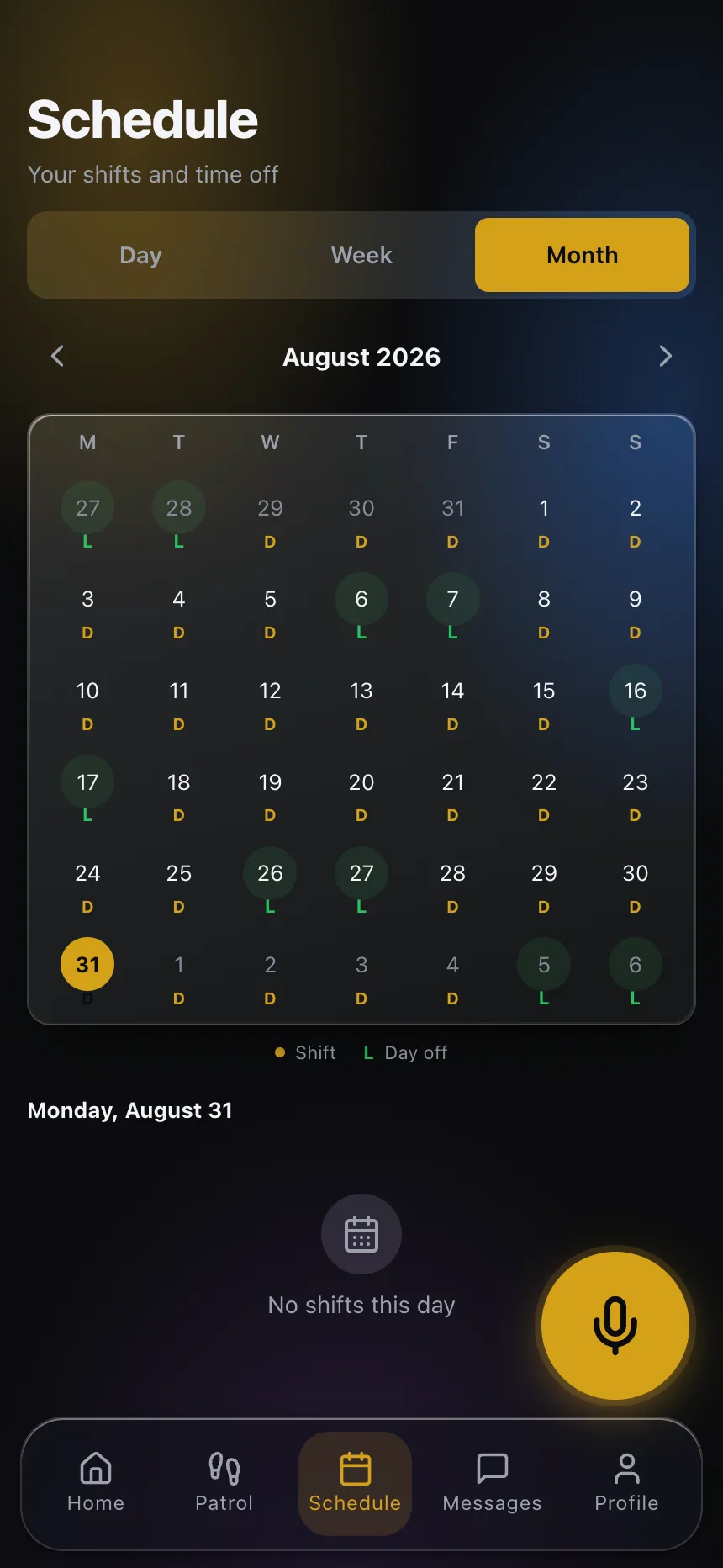 Coverage you can see beats coverage you’re promised. Ask each bidder to show how a shift gets filled.
Structure the RFP so answers line up
Give every bidder the same skeleton to fill in. A workable structure:
- Company background — licensing (confirm requirements with your state regulator), years operating, and client references you can call.
- Insurance — the coverages they carry, with certificates you can verify with the insurer.
- Staffing plan — officer count, hours, supervision ratio, and retention approach.
- Technology — the scored line items above, each answered specifically.
- Pricing — broken into wages, supervision, overhead, and any pass-through costs, not a single lump sum.
- Transition plan — how they’ll take over your site without a coverage gap.
When responses follow the same order, comparison takes minutes instead of hours, and gaps jump out immediately.
Score it, then verify the winners
Build a simple scorecard weighted to what matters on your site — visibility, coverage reliability, and price, in whatever order fits your risk. Total the scores, then shortlist the top two or three and verify their claims. Call the references. Ask to see the portal live. Have them walk you through a real logged incident in the security guard app their officers use. The proposal that reads best on paper isn’t always the one that survives verification.
A note on regulation: licensing, bonding, and permitted duties vary by state and are subject to change. Treat anything in this article as a starting checklist, not legal advice, and confirm the current rules with your state authority and a qualified advisor.
The RFP is your leverage
The RFP is the one moment when you hold all the leverage — bidders want your business and will answer what you ask. Use that moment to require the visibility and proof you’ll want for the next three years, in writing, scored, and demonstrated. A well-built RFP doesn’t just get you comparable bids; it filters out the providers who were never going to show you what happens on your site.
Ready to make visibility a hard requirement? See what a modern client portal looks like and build it into your next bid package.