A general workforce app can clock someone in, build a shift calendar, and send a push notification when a schedule changes. For a retail crew or a delivery team, that’s most of what the job needs. For a security operation, it’s the easy third of the problem, and the comparison between a generic scheduling app vs dedicated security guard software isn’t really about which one has a nicer interface — it’s about the specific gaps a generic tool has no way to close, because it was never built around what a guard post actually requires.
Generic scheduling app vs. dedicated security guard software: gap one, there’s no concept of a checkpoint
A generic app can tell you an officer clocked in at a location and clocked out four hours later. What it can’t tell you is whether that officer actually walked the property during the shift — whether they hit the loading dock, the roof access door, the far stairwell, or just sat in the guard shack for four hours and clocked out on time. Time and attendance and patrol verification are different problems, and a tool built for retail shift coverage was never designed to solve the second one, because retail doesn’t have one.
This is the entire reason guard tour systems with checkpoint scans exist as their own category of software. A QR or NFC scan at a defined point on the property is proof of presence at that specific place and time, not just proof that a phone was somewhere on the general premises during a shift window. A generic scheduling app has no field for “checkpoint,” no way to define a tour route, and no way to flag a missed stop — because those aren’t concepts that exist anywhere else in the workforce software world outside of security and a handful of adjacent industries like facilities patrol.
Gap two: an incident isn’t a form field, it’s a record with a legal shelf life
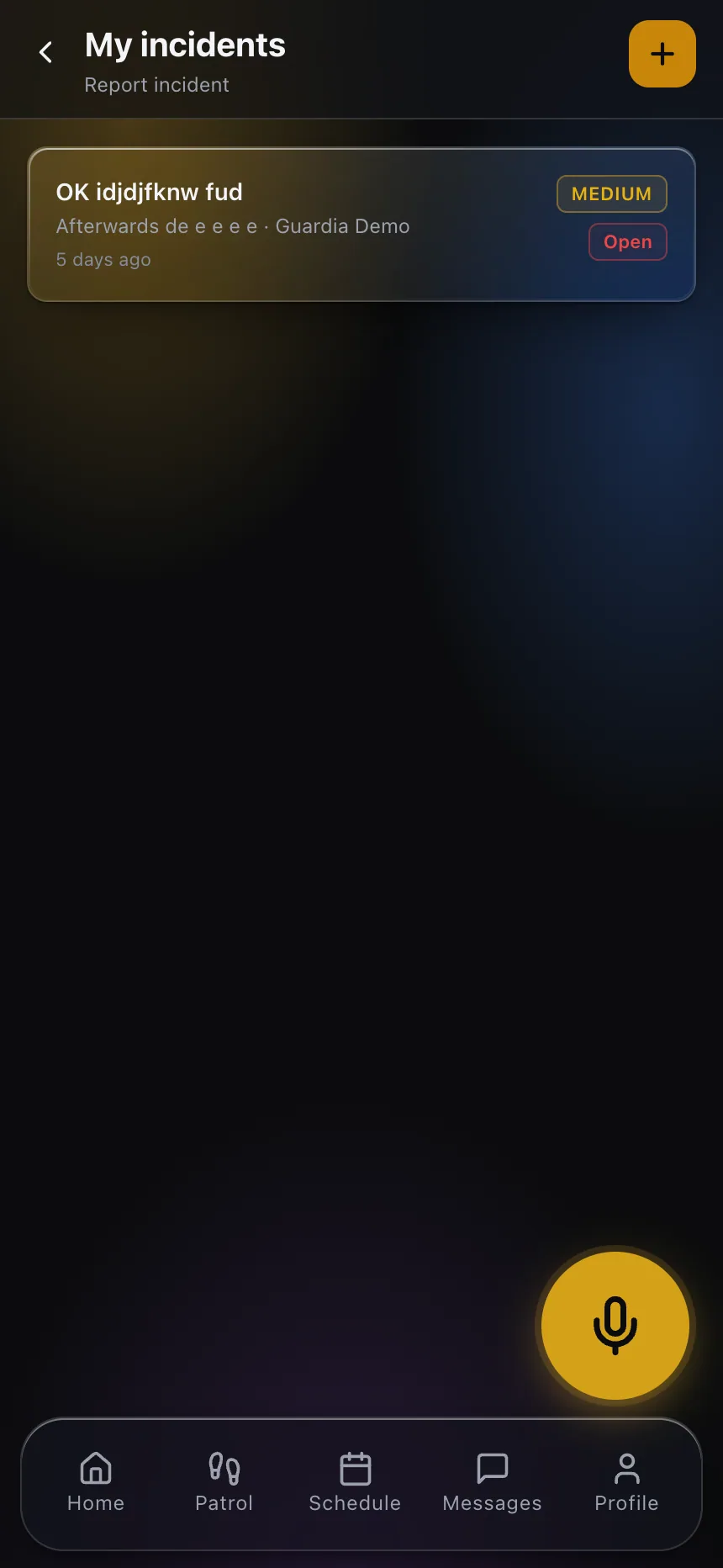
A generic app might let you attach a note or a photo to a shift. That’s not what an incident report is. A real incident — a slip and fall, a theft, an altercation, a break-in — needs a timestamp that can’t be edited after the fact, a narrative captured while it’s fresh, photos tied directly to that specific event, and a record that can be pulled months later when a client, an insurer, or an attorney asks what happened. That record sometimes gets read in a deposition. A generic tool’s free-text note field was never built to survive that kind of scrutiny, because nothing in a typical workforce app’s use case ever requires it to.
Incident reporting built for this industry treats every report as evidence, not as a task log entry — which matters the day a claim shows up eight months after the event and the only real answer to “what actually happened” is whatever got typed into the system that night.
Gap three: there’s no client-facing view at all
A generic workforce app has exactly one audience: the employer managing its own staff. Nobody outside the company ever needs to see inside it. A security account is different — the property manager, the account manager on the client side, or a corporate security director wants some visibility into whether coverage is actually happening, whether a tour was completed, whether last week’s incident got documented. A generic tool has nothing to show them, because it was never designed with an external viewer in mind at all.
A client portal exists specifically to answer that need without handing over full operational access — the client sees shift confirmation, tour completion, and incident history relevant to their site, and the account manager stops fielding “did the officer actually show up last night” phone calls, because the answer is already visible.

Gap four: no emergency path built for a lone officer
A generic workforce app has a way to send a message and a way to make a phone call, because that’s what a typical workplace needs — coworkers are usually nearby, and a phone call covers most emergencies. A security post is frequently a single officer, alone, sometimes overnight, sometimes in a location with weak cell coverage or a property large enough that shouting for help does nothing. That’s a materially different emergency profile, and it’s why panic button alerts and lone-worker man-down detection exist as dedicated features rather than an assumption that a phone call covers the case. A generic app has no concept of “this person hasn’t moved in an unusual amount of time” or “this person just triggered a silent alert that needs to route to dispatch and a supervisor simultaneously” — because outside of a handful of high-risk industries, nothing else needs that concept built in.
Gap five: no dispatch view to coordinate a response
When something does happen — an alarm, a duress signal, an officer requesting backup — someone has to see it immediately and coordinate a response across whichever officers and supervisors are closest. A generic scheduling app has no equivalent of a live dispatch view that shows where every officer currently is and what’s actively unfolding; it has a shift calendar, which is a static picture of who’s supposed to be where, not a real-time operational view of what’s actually happening right now. The absence of that view doesn’t matter on a quiet night. It matters enormously on the one night it isn’t quiet, which is precisely the night a generic tool was never built to handle.
Why this gap doesn’t show up until something goes wrong
The uncomfortable part of this comparison is that a generic app looks perfectly adequate for months. Shifts get scheduled, people clock in, nothing dramatic happens, and the company assumes the software is doing its job. The gaps only surface the day a client asks for proof a tour happened on a specific night, or an insurer wants the incident record from an event three months back, or a property manager wants to see coverage history before renewing a contract — and at that point, “we don’t have that” is not a small operational inconvenience. It’s the moment a client starts shopping the account.
None of this is an argument that generic tools are badly made — they’re built correctly for what they’re built for, which is general shift-based workforce management. The mismatch is specific to security, where a shift isn’t the whole job; the checkpoint scans, the incident documentation, and the client’s ability to see what happened are the parts of the job a generic tool was never asked to handle.
If you want to see what purpose-built guard software actually covers that a generic scheduling tool doesn’t, explore CGuardPro or get in touch.