You picked a new security company, signed the contract, and the first shift starts Monday. What you do in the next 30 days matters more than the sales process that got you here. Knowing how to onboard a new security guard provider well is the difference between a partner who’s dialed in by month’s end and one who’s still guessing where the loading dock is in week four. The habits you set now, especially around visibility and accountability, are the ones you’ll live with for the whole contract.
A strong onboarding isn’t complicated. It’s just deliberate. Here’s a 30-day plan you can run whether you manage a retail center, an office building, a residential community, or a warehouse.
Week 1: Set the foundation
The first week is about information transfer and expectations. Get the provider everything they need to protect your site, and make clear from day one how you’ll be measuring them.
- Deliver post orders. These are the site-specific instructions: patrol routes, checkpoints, escalation contacts, access rules, what counts as an incident, and how fast you expect to hear about one. If you had a previous provider, hand over the working version; if not, build them together now.
- Share contacts both ways. Who at your organization the provider calls for what, after hours included, and who at the provider you escalate to. Test the chain with a quick dry run.
- Set up your portal access. Configure your client portal before or on day one so you can watch coverage, patrols, and incidents live from the first shift. Don’t wait a month to find out how it’s going.
 Get your live view working in week one so you’re never guessing how the service is performing.
Week 2: Verify coverage is real
By the second week the new guards should be settling in, and this is when you confirm that the coverage you’re paying for is actually happening, not just scheduled. Check the guard scheduling and attendance record: are shifts being filled by the assigned guards, or is a rotating cast of fill-ins already appearing? Consistency matters enormously in security, because a guard who knows your property spots what’s out of place far faster than a stranger.
Also confirm patrols are being logged. If your provider uses QR or GPS-verified tours, you’ll see checkpoints hit in real time rather than taking anyone’s word for it. This is the week to catch skipped rounds while they’re still a coaching moment, not a pattern.
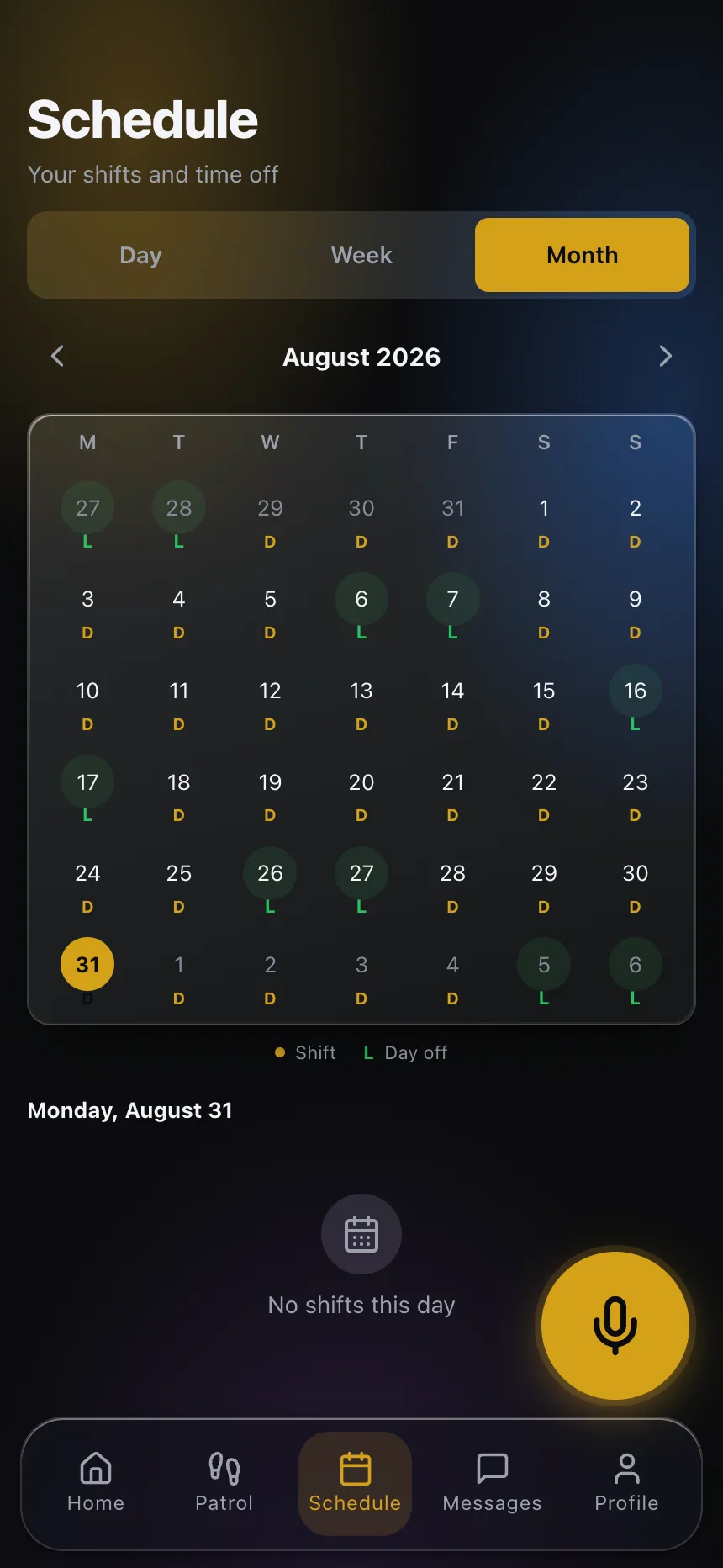 In week two, confirm the assigned guards are actually covering their posts, not a rotating cast.
Week 3: Test the response and reporting
Security is judged in the moments that matter, so use week three to confirm those mechanisms work before you actually need them.
- Check incident reporting. When something small happens, does a clear report reach you promptly, with the facts and ideally a photo? Days-late or one-line reports are a warning sign to correct now.
- Understand the escalation path. Walk through what happens if a panic alert or emergency triggers. Who’s notified, how fast, and what they do next. You want to have rehearsed this before a real event, not during one.
- Note the small things. Are guards flagging the door that props open, the delivery pattern that creates a blind spot? A provider that surfaces low-level observations early is one that’ll catch the bigger issues.
Week 4: Run the first review
Don’t wait a full month for the standard cadence. Hold your first formal review at the 30-day mark, built on the data you’ve been watching all along.
Cover:
- What the numbers show: coverage filled, patrols completed, incidents logged and closed, response times.
- What’s still open: any unresolved issue gets an owner and a date, and carries forward until it’s closed.
- What to adjust: post orders to refine, a patrol route to add, a report format to change.
- Turnover so far: how many different guards have worked your site, and whether the core team is stabilizing.
End the review by reading back the decisions out loud. This first meeting sets the tone: a provider who sees you running a data-driven, accountable review in month one will manage your account accordingly for the rest of the term.
Set the habits that last
The whole point of a deliberate onboarding is that the standard you establish in the first 30 days becomes the baseline. Watch the live data. Insist that the same guards recur. Hold open items until they close. Do this early and you rarely have to escalate later, because the provider already knows exactly how you operate and how closely you’re paying attention.
A quick note on records: post orders, incident logs, and any footage can carry retention and privacy obligations that vary by jurisdiction. Agree up front on what’s kept, for how long, and who can access it, and confirm the specifics with your own advisor. This isn’t legal advice.
Onboarding a new provider isn’t paperwork you get through so the real work can start. It is the real work, compressed into 30 days. Learning how to onboard a new security guard provider properly means the relationship starts on your terms, with visibility built in from the first shift.
Want to see the live view that makes week-one accountability possible? Explore the client portal and set it up before your provider’s first shift.