Nobody bids a contract with overtime in it. It arrives anyway, in pieces small enough that nobody stops to add them up — an hour because relief was late, four hours because a post went open at 2 a.m. and the only officer who answered the phone was already deep into her week. By the time the period closes, security guard overtime has quietly eaten the margin on an account that looked fine on the spreadsheet.
The instinct is to blame the officers taking the hours. That is almost never where the problem lives. Overtime in a guard force is a symptom of how the schedule was built, how open posts get discovered, and who has the authority to say yes at three in the morning.
Where security guard overtime actually comes from
Before you can cut it, you have to know which bucket it fell into. In most contract security operations, the hours come from four places, and they need four different fixes.
The structurally open post
A 24-hour post covered every day of the week is 168 hours. Split into 12s, that is fourteen shifts. No single officer can absorb that, so the post needs a crew — and if the crew is one officer short of what the pattern requires, the missing hours have to land somewhere. They land on whoever is already working the post, at premium rates, every single week, forever.
This is the most expensive kind of overtime because it is invisible. It does not look like an emergency. It looks like Tuesday. If a post has been running the same two people for months, check whether the pattern actually closes with the headcount you have assigned to it.
The callout
Someone gets sick, someone’s car dies, someone simply stops answering. Now you are filling a shift with hours of notice, and the pool of people who can legally and physically be there is small. The officer you can reach is frequently the one who is already near the weekly threshold, because that officer is the one who wants hours.
Callout overtime is unavoidable in the aggregate. What is avoidable is paying premium for it unnecessarily — calling the wrong list, in the wrong order, without knowing who is at what hour count.
The rotation that does not divide evenly
Some patterns produce weeks that run long by design. Twelve-hour patterns that alternate three-day and four-day weeks will push some weeks past a standard threshold on their own. That is not a failure — plenty of well-run posts use these patterns deliberately and price the premium into the bill rate. It becomes a problem only when nobody told the person who priced the contract.
The favor that became a habit
An officer covers a couple of hours for a partner. Nobody logs it. Next month, the same two hours. Then the supervisor starts using that officer as the default patch for every gap, because he always says yes. Six months later he is the highest-paid person on an account, and the only one who knows the post.
The levers that actually reduce it
Schedule the post, not the person
Build coverage from the requirement backwards: this post needs these hours, this pattern closes it, this pattern requires this many officers. Then assign names. Guard forces that build the other way — starting from who is available and stacking them until the calendar looks full — end up with permanent structural overtime baked into the account.
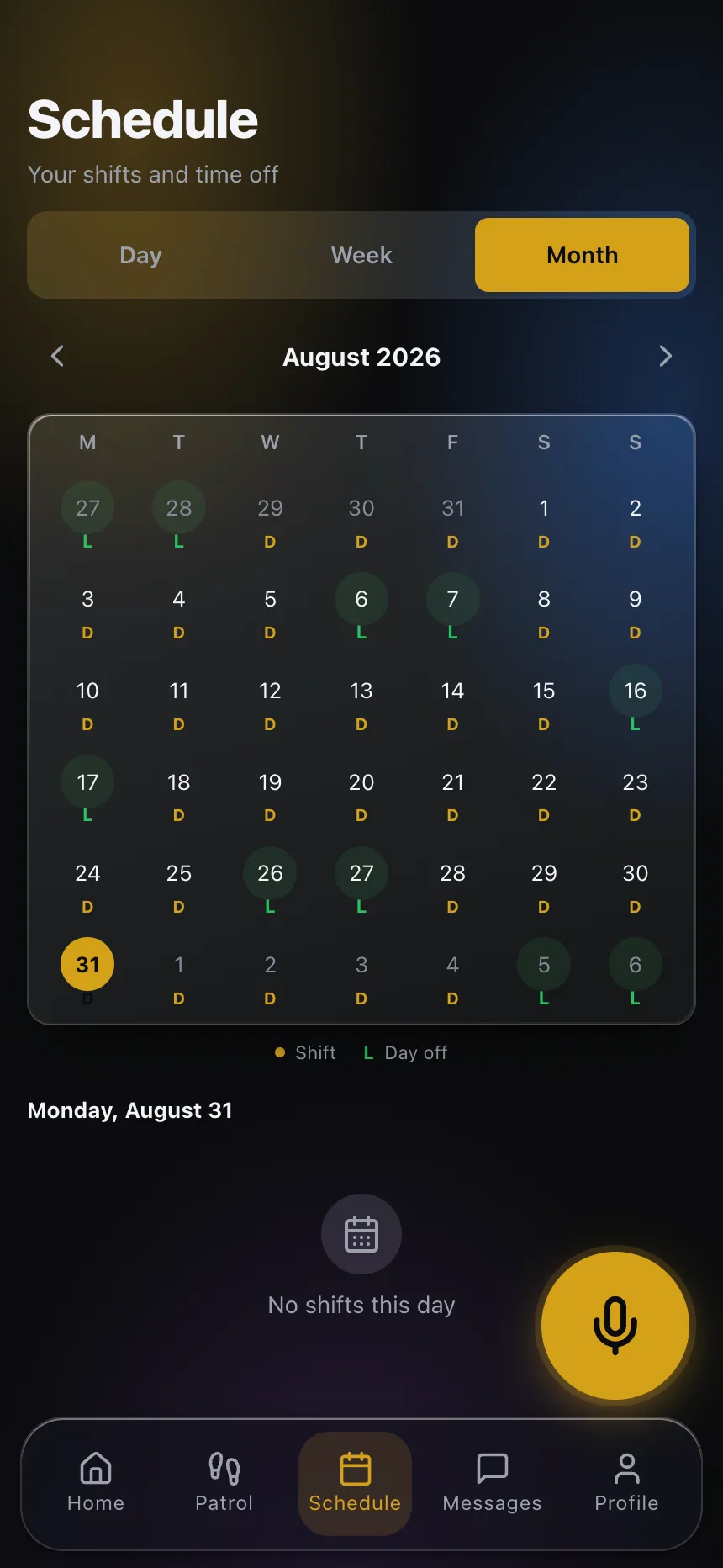
Publishing the schedule to the officer’s phone matters more than it sounds. A surprising number of “callouts” turn out to be officers who did not know they were on, or who thought they had been moved. When every officer can see their own assignments and any change lands as a notification, the schedule stops being something the supervisor remembers and starts being something everyone can check. Purpose-built guard scheduling software is worth it for that alone.
Make the open post visible before it is an emergency
Most of the cost difference between a planned fill and a panic fill is notice. A gap discovered on Thursday for Saturday night gets filled by someone in the normal rotation. The same gap discovered at 11 p.m. Saturday gets filled by whoever picks up, at whatever it costs, and sometimes by a supervisor who is not supposed to be on a post at all.
So the operational goal is not “eliminate gaps.” It is “surface gaps early.” That means a schedule view that flags unassigned shifts loudly, and a habit of reviewing the next ten days rather than the next two.
Put a name on the authorization
Write down who can approve overtime and at what threshold. In a lot of companies the honest answer is “whoever is awake,” which means a dispatcher with six months on the job is making a payroll decision under pressure. That is not a discipline problem, it is a policy gap.
A workable rule: routine coverage below a defined hour count can be authorized by the on-duty supervisor; anything above it requires the operations manager, even at 3 a.m. The point is not to slow the fill down — the post gets covered either way — it is to create a record of who decided and why, so the pattern is visible next month.
Watch hours accumulate mid-week, not at close
The single most common structural mistake is discovering hour counts after the fact. If your dispatcher can see, at the moment of the callout, who is at what point in their week, the phone calls go out in a different order and a meaningful share of premium hours never happen.

This is where clock data has to be live rather than collected. When officers clock in and out from the app at the post, with location and a photo, the hour totals are current all day instead of being reconstructed from paper on Monday. Guard time and attendance that updates in real time turns overtime from an accounting discovery into an operational decision.
Fix the roster, then fix the pattern
If one post is generating premium hours every week, the answer is usually a person, not a policy. Adding one officer to a crew is cheaper than paying the premium indefinitely — but only if that officer is actually trained on the post and cleared by the client, which takes lead time nobody plans for. Start recruiting for the account before the pattern breaks, not after.
The overtime worth keeping
Not all of it is waste. Overtime is sometimes the right answer: a short-term surge at a client site, a two-week gap while a replacement clears onboarding, a holiday where you would rather pay premium than put an unfamiliar officer on a sensitive post. Continuity has value. An officer who knows the access control quirks, the difficult tenant and the loading dock schedule is worth more than a fresh body at straight time.
The discipline is to know which kind you are buying. Deliberate overtime, priced and approved, is a management tool. Accidental overtime, discovered at payroll, is a leak.
Close the loop with billing
The last step is comparing what you paid against what you billed. Coverage hours that were worked but never made it onto an invoice are the same loss as unplanned premium, and they usually come from the same source: a fill that happened over the phone and never made it into the record. If the fill is entered in the schedule when it happens, the pay side and the bill side start from the same set of hours.
Wage and hour obligations, including overtime thresholds and any state rules that go beyond the federal baseline, vary by jurisdiction and by how your workforce is classified. This article is about operations, not compliance — confirm your specific obligations with employment counsel before setting policy.
Overtime control is not a crackdown. It is scheduling hygiene: build patterns that close, publish them where officers can see them, surface open posts early, and decide premium hours on purpose. If you want to see how this works in your own operation, explore CGuardPro or get in touch.