The graveyard officer at a distribution center is due on post at 22:00. At 22:14 the outgoing officer calls dispatch because nobody has relieved him and he has a forty-minute drive home. At 22:31 the dispatcher finally reaches the scheduling manager, who is asleep. At 23:05 a supervisor arrives to hold the post in a polo shirt. At 07:15 the client’s operations director emails asking why the gate log shows a two-hour gap and why nobody told him.
Every part of that failure happened after the officer decided not to come in. A written guard no show protocol does not stop people from not showing up; it stops the sixty-five minutes of confusion that turns a staffing problem into an account problem.
Why the first 30 minutes decide everything
A no-show has two separate clocks running. One is the coverage clock: how long the post is empty. The other is the credibility clock: how long the client believes the post is covered when it is not.
The coverage clock is what you get judged on in the contract. The credibility clock is what you get fired over. A client who learns at 22:20 that you have a no-show and are moving someone in will usually be fine. The same client who learns at 07:15 that the post was empty for two hours and nobody said anything is now questioning every other post you cover for them.
Almost every escalation protocol that fails does so because it treats notification as the last step — something you do after you have solved the problem. In practice, notification has to run in parallel with the fix, not after it.
The protocol, in order, with times attached
Write these as clock times relative to shift start, not as vague priorities. “Promptly” is not a step. Adjust the numbers to your accounts, but commit to numbers.
T-30 minutes: the pre-shift check
The best no-show response starts before the shift. A confirmation ping thirty minutes out — a push notification the officer acknowledges — converts a silent no-show into an early warning. Half the no-shows you will catch this way are not defiance; they are a wrong shift on the officer’s calendar, a phone that died, a car that will not start. Thirty minutes is enough time to fix any of those.
The officer who does not acknowledge is not automatically a no-show. They are a flag, and the flag goes to a person, not into a list nobody reads.
T+0 to T+5: detection
The post start time passes and no clock-in is recorded. This must be detected by the system, not by the outgoing officer’s frustration. If your first signal that a post is uncovered is a phone call from the person who wanted to go home, your detection layer is a human being with a grievance.
A live view of expected-versus-actual on post makes this automatic: the shift turns red at start time plus a defined grace, and dispatch sees it without anyone reporting it.

Be deliberate about the grace period. Zero minutes generates false alarms every time somebody parks badly. Fifteen minutes on a post with a mandated relief is too long. Five to seven minutes is where most operations land, and it should be per-account, because a hospital ED post and a vacant-property patrol do not have the same tolerance.
T+5 to T+12: contact attempts
Three attempts, three channels, in a fixed order, all logged:
- Call the officer’s primary number. Let it ring out; do not leave a voicemail as your only attempt.
- Text. Short and specific: “Are you en route to [site]? Reply yes/no now.” A yes/no question gets answered; “everything ok?” does not.
- Radio, if the officer is on a channel and may be on site but not clocked in. This happens more than people admit — the officer is physically at the gate and the app is not open.
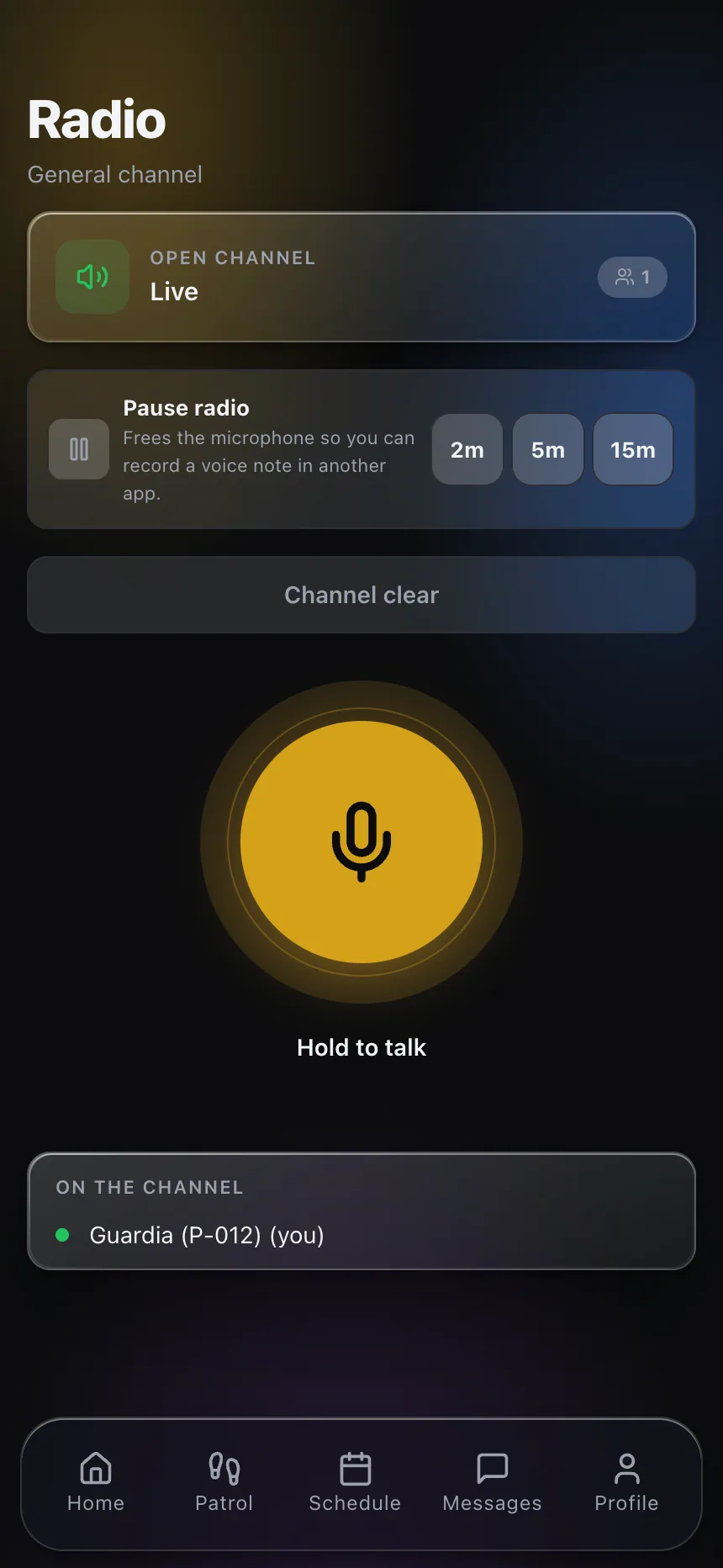
A push-to-talk channel matters here for a reason that is not obvious: it reaches every officer on the account at once. Your third contact attempt can double as your first coverage attempt, because the officer who finished a shift two hours ago and lives ten minutes away may hear it.
Cap the contact phase. Twelve minutes. After that, the officer is a separate problem and the post is the priority. Dispatchers lose entire hours calling a phone that is off.
T+12 to T+20: coverage
This is where the protocol either has been built or has not. At T+12 the dispatcher should not be thinking about who can cover; they should be reading a pre-built list.
For each post, know in advance:
- Who is currently on shift at a nearby site and could be pulled with an acceptable trade-off.
- Who is off today, lives within a defined drive time, and has not hit overtime for the week.
- Which supervisor can hold the post as a bridge, and for how long.
- Whether the client’s post orders permit a temporary hold by someone without a site-specific orientation.
That last one is the trap. A supervisor holding a post at a facility that requires site-specific training or a badge you do not have is not coverage; it is a second compliance problem. Know which posts allow a bridge and which do not, and write it into the post orders.
Overtime visibility belongs in this decision, not in a payroll review two weeks later. Calling the officer who is already at thirty-eight hours because they answer the phone fastest is how a coverage save turns into a margin loss. Good scheduling software shows you weekly hours next to each candidate’s name while you are making the callout.
T+15 to T+20: client notification (in parallel)
Do not wait until the post is filled. Notify while you are filling it, with three facts and nothing else:
“Our 22:00 officer at [site] did not report. We are covering with [name/role], on site by [time]. I will confirm when they are on post.”
No excuses, no “we’re looking into it,” no apology paragraph. Clients want the estimated time of coverage, not remorse. Escalation contacts and their thresholds should be listed in the account file — some clients want a call for any gap, others want notification only past thirty minutes. Ask them once, write it down, and follow it.
T+20 to T+30: documentation
While it is fresh, record: scheduled officer, scheduled start, detection time and method, each contact attempt with timestamp and channel, coverage decision and who approved it, arrival time of the relief, client notification time and contact, and total gap in minutes.
This record does three jobs. It supports whatever HR action follows. It gives you the honest gap number for the client conversation and for any credit. And accumulated over a quarter, it tells you which posts, shifts and hire cohorts generate no-shows — which is the only way to stop treating a pattern as a series of accidents.
After the 30 minutes
Two follow-ups, both with owners and deadlines. First, contact with the officer within twenty-four hours, before assumptions calcify — the person who ghosted a shift after a hospital run and the person who took a better offer both go silent, and they are not the same conversation. Second, a look at the post itself. A post that produces repeat no-shows usually has a cause: an impossible commute, a shift shape nobody wants, a client contact who makes officers miserable, or a rate that lost to the warehouse down the road.
Verified clock-in and attendance data makes those patterns visible. Chronic lateness on one post, one shift, one month is a fixable condition. Treated as ten unrelated incidents, it is just bad luck that keeps happening.
Write the protocol on one page. Put the times on it. Tape it where the dispatcher sits. The point is that at 22:14 on a Tuesday nobody is deciding what to do — they are reading it.
If you want to see how detection, callout and client notification fit together in one system, explore CGuardPro or get in touch.